On this page
- PoE Portal Scroll: Quick Facts
- How to Set a Portal Scroll Hotkey in PoE
- How to Get Portal Scrolls in Path of Exile
- Best Way to Farm Portal Scrolls Fast
- How to Use a Portal Scroll
- PoE Portal Scroll Duration and Expiration
- How Portal Scrolls Work in Maps
- Can You Use Portal Scrolls in the Labyrinth?
- Where Can You Not Use Portal Scrolls?
- PoE Portal Scroll Vendor Recipes
- PoE Portal Skill Gem Guide
- How to Get a Portal Gem in PoE
- Portal Gem Quality and Cast Speed
- Corrupted Portal Gem and Vaal Orb
- Best Support Gems for Portal
- Portal Scroll vs. Portal Gem: Which Is Better?
- Portal Scroll Tips for Beginners
- PoE Portal Scroll FAQ
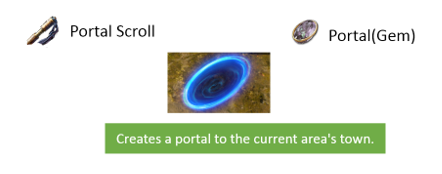
A Portal Scroll is a common currency item in Path of Exile (PoE) that instantly creates a portal to town or your hideout, depending on the area. It allows players to return to safety, sell items, manage their inventory, and recover life and flasks without permanently abandoning their current area.
Portal Scrolls are available from monster drops, chests, vendors, and player trading. Since Path of Exile 3.24, players can also assign a dedicated Portal Scroll hotkey, making it much easier to open portals without manually accessing the inventory.
This guide explains how to get and farm Portal Scrolls, set up the hotkey, use vendor recipes, obtain the Portal skill gem, and understand portal restrictions in maps, the Labyrinth, and boss encounters.
PoE Portal Scroll: Quick Facts
| Property | Details |
|---|---|
| Item Name | Portal Scroll |
| Game | Path of Exile 1 |
| Item Class | Currency Item |
| Stack Size | 40 |
| Drop Level | 2 |
| Effect | Instantly creates a portal to town or hideout |
| How to Use | Right-click the scroll or use the assigned hotkey |
| Vendor Purchase Price | 3 Scrolls of Wisdom |
| Vendor Recipe | 1 Portal Scroll = 1 Scroll of Wisdom |
| Alternative | Portal skill gem |
| Hotkey | Available in Options > Input |
How to Set a Portal Scroll Hotkey in PoE
Path of Exile introduced a dedicated Portal Scroll keybind in patch 3.24.0 (Necropolis). This feature is still available in the current game and eliminates the need to open your inventory every time you want to create a portal.
Step-by-Step: Set Up the Portal Scroll Keybind
- Launch Path of Exile and open the Options menu.

- Select the Input tab.
- Find the action labeled Use Portal Scroll.
- Click the keybinding field.
- Press your preferred keyboard key or supported input combination.
- Save your settings and return to the game.
- Keep at least one Portal Scroll in your character’s inventory.
- Press the assigned key to create a portal instantly.

Important: The Portal Scroll hotkey has no key assigned by default. You must configure it manually. The command consumes one Portal Scroll each time it successfully creates a portal.
Best Portal Scroll Hotkeys
Choose a key that is easy to reach but does not interfere with movement, flasks, or frequently used skills. An unused key near your normal movement controls is generally a convenient choice.
For example, some players prefer assigning Portal Scroll to a nearby unused keyboard key or mouse button. The best choice depends on your existing bindings and control preferences.
Portal Scroll Hotkey Not Working?
If your Portal Scroll hotkey does not work, check the following:
- Missing scrolls: Make sure at least one Portal Scroll is in your character’s inventory.
- Unassigned hotkey: Open Options > Input and verify that Use Portal Scroll has a binding.
- Conflicting controls: Check whether another action uses the same key.
- Restricted area: Portals cannot be created in certain encounters and special areas.
- Input differences: Controller layouts and supported keybinding options may differ from keyboard and mouse controls.
In most cases, checking your inventory, keybinding, and current area will identify the problem.
How to Get Portal Scrolls in Path of Exile
There are several ways to obtain Portal Scrolls. For most players, collecting natural drops while progressing through the campaign and maps is the easiest and most efficient approach.
1. Farm Portal Scrolls by Killing Monsters
Portal Scrolls can drop from monsters throughout Path of Exile. Their drop level is 2, meaning they can begin appearing in very early game areas.
To collect more Portal Scrolls efficiently:
- Clear areas containing large groups of monsters.
- Pick up Portal Scrolls that drop during normal progression.
- Open nearby chests and containers while exploring.
- Use a loot filter that displays Portal Scrolls if you need them.
- Collect scrolls naturally while farming other valuable currency and equipment.
Farming tip: Portal Scrolls are common enough that dedicated farming is usually unnecessary. Running profitable maps and collecting scrolls along the way is generally more efficient than targeting them exclusively.
2. Find Portal Scrolls in Chests and Containers
Portal Scrolls can also be obtained from environmental containers throughout the game.
Two particularly relevant container types are:
- Scribe’s Rack: A container associated with scroll drops.
- Packed Riches: A reward container that provides stacks of Portal Scrolls and Scrolls of Wisdom.
Other ordinary chests and breakable containers can also provide currency drops. However, their rewards are not guaranteed to include Portal Scrolls.
Opening convenient containers along your regular farming route can gradually increase your supply without requiring a separate farming strategy.
3. Buy Portal Scrolls From NPC Vendors
Portal Scrolls can be purchased from town vendors for a fixed price:
3 Scrolls of Wisdom = 1 Portal Scroll
One of the earliest available vendors is Nessa, located in Lioneye’s Watch in Act 1.
- Travel to Lioneye’s Watch in Act 1.
- Speak to Nessa.
- Open her purchase inventory.
- Find Portal Scroll.
- Purchase the required number using Scrolls of Wisdom.
This method is especially useful during the early campaign when you need an immediate portal but have not collected enough scrolls from drops.
Note: Patch 3.27 introduced free mass identification services at town NPCs, with Nessa unlocking this option after sufficient Act 1 progress. Scrolls of Wisdom remain useful for identifying items outside town and for other interactions, but they are no longer necessary for every town identification.
4. Trade With Other Players
In trade-enabled leagues, Portal Scrolls can be obtained by exchanging currency with other players.
The amount of currency required depends on the league, platform, available offers, and current economy. Because Portal Scrolls are common, bulk trading is generally more practical than purchasing individual scrolls.
Use the official Path of Exile trade website to compare available offers before completing a transaction.
Best Way to Farm Portal Scrolls Fast
The most practical farming method depends on your character’s progression.
| Progression | Recommended Method | Reason |
|---|---|---|
| Early Campaign | Monster drops and Nessa | Easy access from Act 1 |
| Later Campaign | Monster drops and containers | Collect scrolls during normal progression |
| Early Mapping | Map clearing and incidental drops | Collect scrolls while farming other currency |
| Endgame Mapping | Bulk collection or player trading | Convenient when you need large quantities |
| Players Who Want Unlimited Uses | Portal skill gem | Does not consume Portal Scrolls |
Best overall strategy: Collect Portal Scrolls during ordinary gameplay instead of farming specific low-level areas. If you frequently run out, consider purchasing scrolls from a vendor or obtaining a Portal skill gem.
How to Use a Portal Scroll
Using a Portal Scroll is straightforward:
- Enter a campaign area or another location that permits portals.
- Open your inventory.
- Right-click a Portal Scroll.
- A portal will appear at your character’s location.
- Click the portal to travel to the corresponding town or hideout.
Alternatively, press your configured Use Portal Scroll hotkey.
Each successful use consumes one scroll. Creating a portal is instant, unlike casting the Portal skill gem, which has a casting animation.
What Happens When You Use a Portal?
A Portal Scroll creates a temporary connection between your current area and an appropriate safe location.
You can use this connection to:
- Sell unwanted equipment to vendors.
- Manage inventory and stash items.
- Recover life and energy shield.
- Refill flasks when returning to town or hideout.
- Buy supplies or change equipment.
- Return to your previous area when the portal and instance remain available.
Portals are particularly convenient during the campaign when traveling back to town through waypoints would require additional movement.
PoE Portal Scroll Duration and Expiration
Portal Scrolls do not have a separate fixed duration displayed on the item. Instead, portal availability depends on the underlying area instance and the rules governing that portal.
Portal Duration During the Campaign
Player-created portals in ordinary campaign areas generally remain available while their connected area instance exists.
The standard instance expiration rules are:
- Normal instances: Typically expire after approximately 8 minutes of inactivity.
- Hub instances: Typically expire after approximately 15 minutes of inactivity.
- Occupied instances: Can remain active while a player is present.
A hub instance is an area connecting to multiple other areas, such as the Mud Flats.
These timers describe the inactivity of the area instance, not a guaranteed lifetime for every individual portal.
Can You Use the Same Portal Multiple Times?
In ordinary campaign areas, player-created portals can be used by party members according to the game’s portal ownership rules.
However, a portal created by a player disappears when its creator returns through the town-side portal. Other party members can have different usage behavior.
In practice, you should treat your own campaign portal as a convenient return route rather than assuming it will remain available indefinitely.
Can You Create Multiple Portals in the Same Area?
An ordinary area can have one active player-created portal at a time. Creating a new portal relocates the existing portal for that area rather than producing unlimited independent entrances.
How Portal Scrolls Work in Maps
Portals work differently in endgame maps compared with ordinary campaign areas.
When a map is opened using the Map Device, it normally creates six portals that allow entry into the map.
Each entry consumes one of these portal uses. This total is shared among party members.
For example:
- You open a map and enter it, consuming one entry.
- You use a Portal Scroll inside the map to return to your hideout.
- You return through another available Map Device portal, consuming another entry.
- Once all available entries have been used, you cannot re-enter that map instance through the Map Device.
Important: Portal Scrolls and Portal gems do not increase the number of available Map Device portal entries.
This is why experienced players generally avoid unnecessary trips out of maps, especially when running valuable content or difficult encounters.
Should You Use Portal Scrolls During Boss Fights?
Portal Scrolls can be used in certain map areas, but many special boss arenas restrict portal creation.
They are not a universal escape option. Some encounters require players to finish the fight, die, or use the encounter’s intended exit mechanics.
Do not assume you can open a new portal inside a restricted endgame boss arena.
Can You Use Portal Scrolls in the Labyrinth?
Yes, portals can be used to leave the Labyrinth, but they do not allow normal return travel.
For example, using a Portal Scroll in the Eternal Labyrinth creates a one-way exit to town. Once you leave, you cannot re-enter the same Labyrinth run.
The Labyrinth is designed as a continuous challenge. Leaving it, dying, or disconnecting normally ends your current attempt.
Warning: Do not use a Portal Scroll during a Labyrinth run unless you intend to abandon that attempt.
Where Can You Not Use Portal Scrolls?
Although Portal Scrolls work in most ordinary campaign areas and maps, some special locations restrict portal creation.
Examples include:
- Temporal Incursions: Portals cannot be created inside Alva’s timed incursion areas.
- Syndicate Research encounters: Jun’s Research laboratory areas restrict ordinary portals.
- Certain special instances: Some map-fragment areas and Syndicate safehouses do not permit ordinary portal creation.
- Many endgame boss arenas: Several pinnacle boss and special guardian encounters prevent Portal Scroll usage.
Shaper Guardian encounters in regular maps follow different restrictions from many separate pinnacle boss arenas.
If you cannot use a Portal Scroll despite having one in your inventory, check whether the current encounter allows portals.
PoE Portal Scroll Vendor Recipes
Portal Scrolls have useful interactions with NPC vendors.
1. Exchange Portal Scrolls for Scrolls of Wisdom
The primary Portal Scroll vendor recipe is:
1 Portal Scroll = 1 Scroll of Wisdom
To complete the recipe:
- Speak to a vendor who buys items.
- Open the Sell Items interface.
- Place a Portal Scroll into the trade window.
- Confirm the sale to receive a Scroll of Wisdom.
This recipe is useful when you have more Portal Scrolls than you need and would prefer additional Scrolls of Wisdom.
However, remember that a Portal Scroll costs three Scrolls of Wisdom when purchased from a vendor, so buying scrolls and immediately selling them back is inefficient.
2. Purchase an Orb of Transmutation With Portal Scrolls
Nessa in Act 1 also offers an Orb of Transmutation for:
7 Portal Scrolls = 1 Orb of Transmutation
This is a vendor purchase price rather than the ordinary sell-window recipe.
An Orb of Transmutation upgrades a normal item to a magic item. It can be useful early in the campaign when crafting basic equipment.
However, Portal Scrolls often have greater practical value for travel during early progression. Avoid spending your last scrolls unless you have another reliable way to return to town.
PoE Portal Skill Gem Guide
The Portal skill gem is an alternative to Portal Scrolls. It creates a portal through a spell instead of consuming currency.
This makes Portal useful for players who want a renewable way to travel back to town or their hideout.
Portal Gem Stats
| Property | Details |
|---|---|
| Gem Name | Portal |
| Skill Type | Spell |
| Required Level | 10 |
| Drop Level | 10 |
| Base Cast Time | 2.50 seconds |
| Normal Maximum Gem Level | 1 |
| Experience Gain | None |
| Gem Colour | Colourless |
| Quality Effect | 3% increased Cast Speed per 1% quality |
| 20% Quality Bonus | 60% increased Cast Speed |
| Scroll Consumption | None |
How to Use the Portal Gem
- Obtain a Portal skill gem.
- Place it into an available equipment socket.
- Assign Portal to an appropriate skill hotkey.
- Press the hotkey in an area where portals are permitted.
- Wait for the spell’s casting animation to complete.
- Use the generated portal to return to town or your hideout.
Unlike Portal Scrolls, the Portal skill gem does not consume a scroll when activated.
However, it occupies an equipment socket and normally has a casting time.
Does Portal Gem Work in Any Socket?
Yes. Portal is a colourless gem.
Furthermore, Path of Exile 3.29 changed equipment socket rules so that gems can be placed into equipment sockets regardless of matching socket colours.
The Portal gem remains compatible with any available equipment socket, making it easy to include in many builds.
How to Get a Portal Gem in PoE
There are three practical ways to obtain a Portal skill gem: random drops, divination cards, and player trading.
1. Get a Portal Gem From Monster Drops
Portal has a drop level of 10 and can appear as a random gem drop.
Because it is not guaranteed to drop from a particular monster, there is no reliable method to obtain it from a specific boss.
You can improve your chances of eventually finding one by playing content that produces large quantities of item and gem drops.
2. Get Portal From Divination Cards
Certain divination cards can reward a Portal gem.
| Divination Card | Cards Required | Reward | Acquisition Notes |
|---|---|---|---|
| The Realm | 5 | Portal gem with 1-20% quality | Can drop from Hiveborn monsters; no longer drops from original Breach monsters following the 3.28 changes. |
| Gemcutter’s Promise | 3 | Random gem with 20% quality | Can drop in areas including The Ebony Barracks and The Twilight Temple. Portal is only a possible random reward. |
Best targeted option: The Realm is the more reliable card set for obtaining Portal because its completed set specifically rewards the Portal gem.
Gemcutter’s Promise is not a guaranteed Portal gem source. Its reward can be another skill or support gem.
3. Trade for a Portal Gem
In trade-enabled leagues, buying a Portal gem from another player is often the fastest option.
Use the official Path of Exile trade website to search for Portal and compare available listings.
The price varies by league, platform, quality, and player supply. Avoid assuming that a Portal gem always costs one Chaos Orb, because its market value can change.
For most players, a regular Portal gem is sufficient. A high-quality version is mainly useful when faster casting is important.
Portal Gem Quality and Cast Speed
Portal is unusual because its quality improves casting speed rather than damage.
Each 1% quality grants:
3% increased Cast Speed
Its base cast time is 2.50 seconds.
| Gem Quality | Increased Cast Speed | Approximate Cast Time |
|---|---|---|
| 0% | 0% | 2.50 seconds |
| 5% | 15% | 2.17 seconds |
| 10% | 30% | 1.92 seconds |
| 15% | 45% | 1.72 seconds |
| 20% | 60% | 1.56 seconds |
| 23% | 69% | 1.48 seconds |
The values above assume no additional cast-speed modifiers.
The formula is:
Cast Time = Base Cast Time / (1 + Increased Cast Speed / 100)
For example, at 20% quality:
2.50 / (1 + 0.60) = 1.5625 seconds
Additional cast-speed bonuses from the character, equipment, and supported skills can further affect the result.
How to Increase Portal Gem Quality
You can improve a Portal gem’s quality with Gemcutter’s Prisms.
- Obtain a Portal gem.
- Acquire Gemcutter’s Prisms.
- Use Gemcutter’s Prisms on the gem.
- Each Prism adds 1% quality, up to the normal 20% limit.
A Portal gem can also receive quality changes through corruption, potentially exceeding the normal 20% limit.
Corrupted Portal Gem and Vaal Orb
A Portal gem can be corrupted using a Vaal Orb.
Possible corruption outcomes include:
- Becoming corrupted without gaining a useful improvement.
- Gaining or losing gem quality.
- Gaining or losing gem levels under applicable corruption outcomes.
- Potentially reaching 23% quality.
A 23% quality Portal gem provides 69% increased Cast Speed from quality alone.
Increasing the gem’s level does not provide a meaningful benefit because Portal has no relevant statistics that scale with gem level.
Important: There is no standard Vaal Portal version of the Portal gem. A corrupted Portal gem remains a Portal gem.
For practical gameplay, a 20% quality Portal gem is already a useful option. Corrupting one for extra quality is an optional optimization.
Best Support Gems for Portal
Portal counts as a spell and can interact with compatible support gems.
These interactions allow players to improve casting speed or create specialized portal setups.
1. Faster Casting Support
Best for: Faster manual Portal casting.
Faster Casting Support increases the casting speed of supported non-instant spells.
Linking Faster Casting Support to Portal reduces the time required to create a portal.
This is one of the simplest ways to improve a Portal gem setup.
2. Cast on Death Support
Best for: Specialized death-triggered portal setups.
Cast on Death Support can trigger compatible linked spells when your character dies.
When linked to Portal, it can create a portal on death in locations where portal creation is permitted.
This can be useful in particular gameplay situations, although restricted boss arenas and portal-entry limits still apply.
3. Cast when Stunned Support
Best for: Situational automated portal creation.
Cast when Stunned Support can trigger compatible spells when the character is stunned or blocks a stunning hit, according to the support gem’s mechanics.
It can interact with Portal, but this setup is less predictable than manually opening a portal.
4. Spell Totem Support
Best for: Experimental utility setups.
Spell Totem Support allows compatible spells to be cast by a summoned totem.
Portal is a spell that supports this type of interaction, although using a totem merely to create a portal is usually less convenient than casting Portal directly.
Which Portal Gem Setup Is Best?
For ordinary gameplay, the recommended setup is:
Portal + Faster Casting Support
This provides a straightforward and dependable method of creating portals without consuming Portal Scrolls.
However, players who already use the dedicated Portal Scroll hotkey may prefer the instant scroll effect rather than spending equipment sockets on Portal and a support gem.
Portal Scroll vs. Portal Gem: Which Is Better?
| Feature | Portal Scroll | Portal Gem |
|---|---|---|
| Portal Creation | Instant | Requires casting |
| Consumable | Yes | No |
| Required Level | No character level requirement beyond obtaining the item | Level 10 |
| Equipment Socket | Not required | Required |
| Dedicated Keybind | Yes | Uses a skill hotkey |
| Cast Speed Scaling | Not applicable | Yes |
| Availability | Common drops and vendors | Random drops, cards, and trading |
| Map Portal Limits | Still apply | Still apply |
| Best For | Convenience and instant portals | Repeated use without consumables |
Best Choice for Campaign Players
Portal Scrolls are generally the better choice during the early campaign because they are easy to obtain, require no equipment socket, and create portals instantly.
Best Choice for Endgame Players
Either option works well in endgame content.
Portal Scrolls offer instant activation and convenient hotkey access, while the Portal gem provides unlimited casts without consuming currency.
If your build has limited available sockets, Portal Scrolls are often more convenient.
Portal Scroll Tips for Beginners
- Keep a reserve: Carry a small stack of Portal Scrolls when progressing through the campaign.
- Set a hotkey: The dedicated Use Portal Scroll keybind is faster than manually opening your inventory.
- Use vendors when needed: Nessa sells Portal Scrolls for three Scrolls of Wisdom each.
- Do not waste map portals: Returning to a map consumes another Map Device entry.
- Watch instance expiration: Campaign portals do not preserve abandoned instances indefinitely.
- Understand special-area restrictions: Not every location permits portal creation.
- Try the Portal gem: It is useful if you prefer not to consume scrolls.
- Manage excess scrolls: Sell unneeded Portal Scrolls for Scrolls of Wisdom or use the applicable vendor purchase options.
PoE Portal Scroll FAQ
What is a Portal Scroll in Path of Exile?
A Portal Scroll is a currency item that instantly creates a portal to town or your hideout when used in an eligible area. It is primarily used for convenient travel, inventory management, and recovery.
How do I get Portal Scrolls quickly?
The easiest methods are collecting monster drops, opening containers, and purchasing them from NPC vendors. Nessa in Act 1 sells Portal Scrolls for three Scrolls of Wisdom each.
Is there a Portal Scroll hotkey in PoE?
Yes. The dedicated Portal Scroll hotkey was added in patch 3.24. Open Options > Input and assign a key to Use Portal Scroll.
Can you use a Portal Scroll without opening your inventory?
Yes. Once you assign the dedicated hotkey and have a Portal Scroll in your inventory, pressing the key creates a portal without manually opening the inventory.
Does a Portal Scroll have a cooldown?
Portal Scrolls do not have the Portal gem’s casting time. They create portals instantly, although ordinary game action restrictions and area limitations still apply.
Can Portal Scrolls be used in maps?
Yes, in map areas where portal creation is permitted. However, using a Portal Scroll does not add extra Map Device entries. Re-entering the map consumes another available portal.
Can you use Portal Scrolls in the Labyrinth?
Portals can be used to leave the Labyrinth, but doing so ends the current attempt. You cannot return to the same run after leaving.
How long does a Portal Scroll portal last?
A portal’s availability depends on the connected instance. Ordinary campaign instances typically expire after eight minutes of inactivity, while hub instances typically expire after fifteen minutes. Other portal ownership and map rules may also apply.
How do you get the Portal skill gem?
The Portal gem can drop randomly, be obtained from The Realm divination card set, or be acquired through player trading in trade-enabled leagues.
Is the Portal gem better than Portal Scrolls?
The Portal gem does not consume scrolls, but it occupies an equipment socket and requires casting. Portal Scrolls create portals instantly and are easily obtained. The better option depends on your build and preferred playstyle.
Can you increase Portal gem cast speed?
Yes. Each 1% Portal gem quality provides 3% increased Cast Speed. Faster Casting Support and other applicable cast-speed modifiers can further improve casting speed.
How many Portal Scrolls can you stack?
Portal Scrolls have a stack size of 40.
Why can’t I use a Portal Scroll?
You may be in a restricted area, have no Portal Scrolls in your inventory, or have an incorrect hotkey configuration. Check your inventory and Input settings, then confirm that the current encounter permits portals.
Can you buy Portal Scrolls with Scrolls of Wisdom?
Yes. Town vendors such as Nessa sell one Portal Scroll for three Scrolls of Wisdom.
What is the Portal Scroll vendor recipe?
Selling one Portal Scroll to an NPC vendor provides one Scroll of Wisdom. Nessa also offers an Orb of Transmutation for seven Portal Scrolls through her purchase inventory.
About the Author