On this page
- What Is a Valorant Account Lookup?
- How to Look Up a Valorant Account
- Method 1: Use Tracker.gg for Valorant Account Lookup
- Method 2: Find Valorant Players Using the Official Leaderboard
- Method 3: Find Valorant Accounts In-Game
- Method 4: Check Valorant Stats With Other Tracking Websites
- How to Find Your Own Valorant Account
- Why Can’t I Find a Valorant Account?
- How to Make Your Valorant Account More Private
- Is a Valorant Account Finder Safe?
- Valorant Account Lookup FAQ
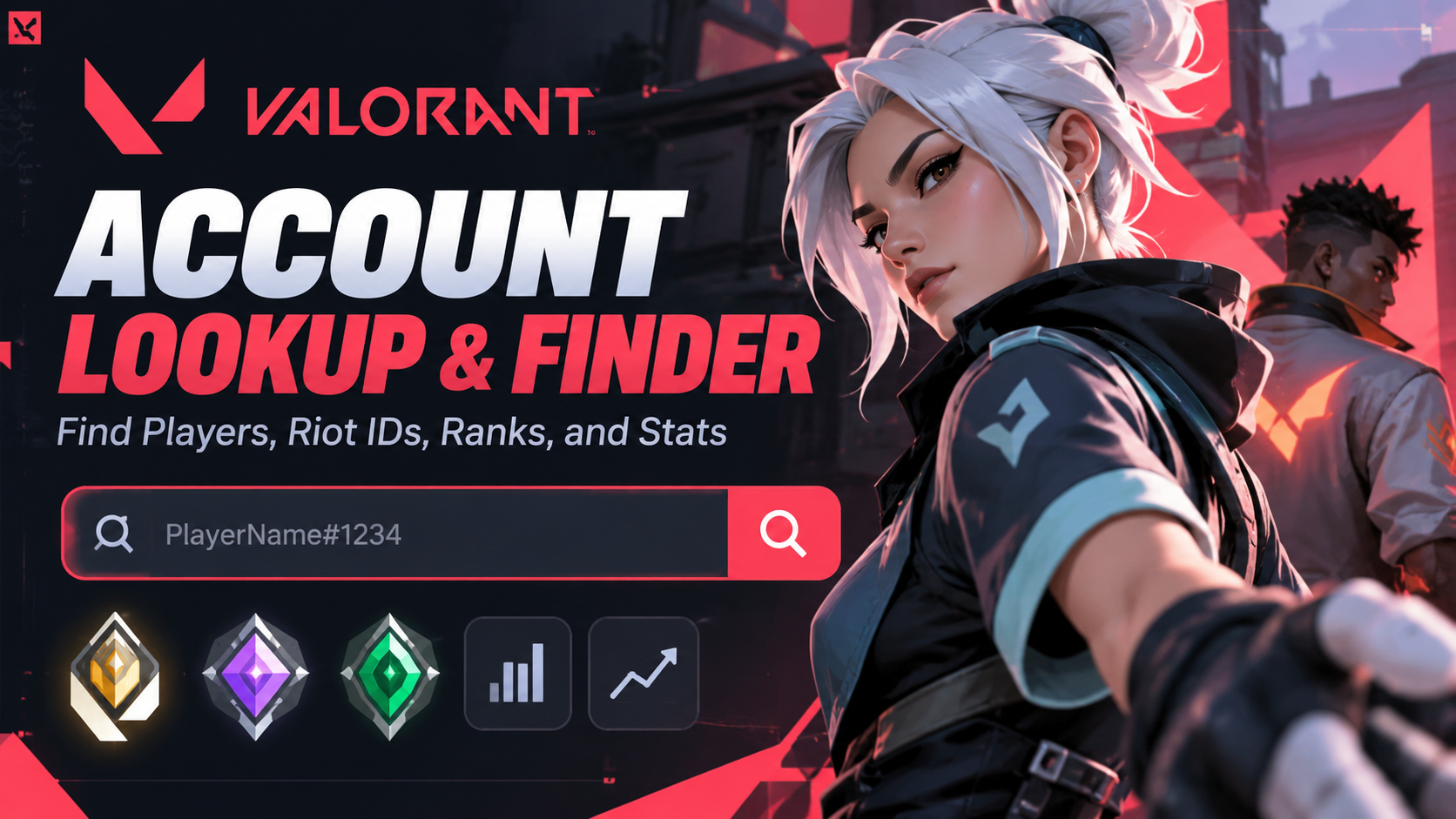
Want to look up a Valorant account, find another player’s Riot ID, check their competitive rank, or view their match history? A Valorant account lookup can help you find publicly available player information using Riot Games’ official features and third-party tracking websites.
The easiest way to search for a Valorant player is to enter their full Riot ID, such as PlayerName#1234, into a compatible Valorant account finder like Tracker.gg. Depending on the account’s privacy settings and available records, you may be able to view competitive rankings, K/D ratio, win rate, headshot percentage, match history, and agent performance.
However, not every Valorant account is publicly searchable. Some players have private profiles, while others have never connected their accounts to a tracking service.
What Is a Valorant Account Lookup?
A Valorant account lookup is a method of finding a player’s publicly available account details, competitive rankings, and gameplay statistics.
Players commonly use Valorant account finders to:
- Find a Valorant player using their Riot ID.
- Check another player’s current competitive rank.
- Review available match history and recent performance.
- Compare K/D ratios, win rates, and headshot percentages.
- Discover frequently played agents and maps.
- Locate friends or former teammates.
- Find their own Riot account or recover a forgotten login username.
Important: A player statistics lookup is different from Riot account recovery. Public player finders cannot reveal account passwords, registered email addresses, private login usernames, or other confidential account information.
How to Look Up a Valorant Account
There are several ways to find Valorant players. The best option depends on whether you have their Riot ID, want to check competitive rankings, or need to recover your own account.
| Method | Best For | Information Available | Requirements |
|---|---|---|---|
| Tracker.gg | Detailed Valorant account lookup | Rank, K/D, win rate, match history, agent statistics | Full Riot ID; profile visibility or authorization |
| Official Valorant Leaderboard | Finding high-ranked players | Leaderboard position, Rank Rating, competitive standings | Player must qualify for the leaderboard |
| In-Game Friends List | Finding and adding friends | Riot ID and accessible in-game profile information | Player’s full Riot ID |
| Mobalytics | Personal performance analysis | Available match details and ranked progress | Riot account linking and authorization |
| Riot Account Management | Finding your own Riot ID | Riot ID, tagline, account settings | Access to your Riot account |
| Riot Account Recovery | Finding a forgotten account login | Account recovery assistance | Account ownership verification |
Method 1: Use Tracker.gg for Valorant Account Lookup
Valorant Tracker, operated by Tracker Network, is one of the most established options for finding Valorant player statistics.
How to Find a Valorant Account on Tracker.gg
- Visit tracker.gg/valorant.
- Locate the player search field.
- Enter the complete Riot ID in the format GameName#Tagline.
- Select the matching player profile, if available.
- Review the statistics and match records the service is permitted to display.
For example, if a player’s Riot ID is ExamplePlayer#NA1, use the complete identifier rather than searching only for ExamplePlayer.
If you want to track your own account, you can use the site’s Riot sign-in option and follow the authorization instructions. Linking an account may make its permitted statistics publicly visible, so review the privacy notice before proceeding.
What Valorant Stats Can You Find?
Depending on the profile and selected game mode, Valorant Tracker can display:
- Competitive Rank: The player’s available ranked tier and progression.
- Rank Rating (RR): Competitive ranking points where supported.
- K/D Ratio: The relationship between kills and deaths.
- Win Rate: The percentage of recorded matches won.
- Headshot Percentage: The proportion of recorded hits that were headshots.
- Average Combat Score (ACS): A performance measurement from match results.
- Match History: Available previous matches, results, maps, and scores.
- Agent Statistics: Performance with different Valorant agents.
- Map Statistics: Results and performance across different maps.
- Weapon Statistics: Available accuracy and performance information.
Not every profile includes every statistic, and third-party records may be delayed or incomplete. Older match history and advanced analytics may also depend on the service’s data retention and subscription features.
Method 2: Find Valorant Players Using the Official Leaderboard
Riot Games provides official competitive leaderboards for eligible high-ranked players. These are useful when you want to find an Immortal or Radiant player without relying exclusively on third-party statistical estimates.
How to Check the Valorant Leaderboard
- Launch Valorant and sign in.
- Open the game’s Competitive or leaderboard interface.
- Select the relevant region or leaderboard view.
- Browse the available competitive rankings.
- Find the player’s Riot ID if their leaderboard identity is visible.
You can also visit the official Valorant leaderboard website.
October 2026 availability note: Riot’s web leaderboard currently displays a temporary-unavailability message and directs players to the Valorant client. Use the in-game leaderboard when the website is unavailable.
Which Players Appear on Valorant Leaderboards?
The official competitive leaderboard features qualified Immortal and Radiant players. Ascendant and lower-ranked players do not automatically appear on this official high-rank leaderboard.
Players may also be missing if they have not met current leaderboard requirements, are inactive, or have chosen to anonymize their leaderboard identity.
Consequently, failing to find someone on the leaderboard does not mean their Valorant account does not exist.
Method 3: Find Valorant Accounts In-Game
Valorant’s built-in social features are useful for finding friends, adding teammates, and accessing permitted player information.
Find Someone Using Their Riot ID
- Open Valorant.
- Access the Social or Friends panel.
- Select the option to add a friend.
- Enter the player’s Riot ID and tagline in the appropriate fields.
- Send the friend request.
- If the player accepts, use the available friend and career features to view information shared through the game.
Keep in mind that adding someone as a friend does not automatically provide access to all their account information.
Find a Player From a Recent Match
If you recently played with someone but forgot their Riot ID, you may be able to find them through your match history.
- Open the Career section.
- Select a recent match.
- Review the match scoreboard.
- Identify the player you want to find.
- Use available social options to add them or inspect permitted profile information.
Player anonymization settings can affect which names are displayed.
Can You Watch a Friend’s Valorant Matches?
Valorant does not provide unrestricted live spectating of every friend’s active match.
However, Patch 12.10, released in May 2026, introduced friend replay sharing. Players can access eligible completed match replays through friends’ Career pages.
Supported replay modes include Competitive, Unrated, Swiftplay, Premier, and eligible Custom games. Custom-game replay recording must be enabled by the lobby owner.
This makes friend replays a useful option for reviewing gameplay without using an unauthorized account lookup tool.
Method 4: Check Valorant Stats With Other Tracking Websites
Although Tracker.gg is a convenient starting point, other services provide Valorant player statistics and performance analysis.
Mobalytics
Mobalytics Valorant provides Riot account linking for accessing available match details and ranked progression.
Its account-linking approach is particularly useful for players who want to review their own performance. Available features and visibility depend on current service support and account authorization.
Blitz.gg
Blitz is another gaming analytics platform associated with Valorant performance tracking, profiles, and gameplay insights.
Available Valorant tracking features may differ between its website and desktop application. Check its current Valorant support before relying on a particular lookup feature.
Recommendation: Start with Riot’s in-game features for official information and Tracker.gg for detailed available statistics. Use third-party tools only when their data-sharing practices and permissions meet your preferences.
How to Find Your Own Valorant Account
If you’re trying to locate your own account, first determine whether you’ve forgotten your Riot ID or your actual login credentials.
Find Your Riot ID
- Visit Riot Account Management.
- Sign in using your Riot account credentials.
- Find the Riot ID section.
- View your current Game Name and tagline.
- Use the complete Riot ID when searching on compatible tracking websites or adding friends.
A Riot ID has two components:
- Game Name: The public display name, such as ExamplePlayer.
- Tagline: The identifier after the # symbol, such as #NA1 or #1234.
The complete Riot ID would be ExamplePlayer#1234.
Your Riot ID is different from the private username used to sign in. Changing your Riot ID does not change that login username.
How to Recover a Forgotten Valorant Account
If you’ve forgotten your login username, password, or the email associated with your Riot account, use Riot’s official recovery tools rather than an unofficial account finder.
- Visit Riot Account Support.
- Choose Forgot Username if you cannot remember your login name.
- Choose Forgot Password if you need to reset your password.
- Use Recover Your Account if you have lost email access, suspect unauthorized account changes, or cannot recover your login normally.
- Complete the required ownership verification and follow Riot’s instructions.
Riot Support is the appropriate channel for recovering an account that belongs to you. A public player search cannot establish account ownership or provide private recovery information.
Why Can’t I Find a Valorant Account?
If a Valorant account finder returns no results, displays a private-profile message, or shows outdated information, one of several common issues may be responsible.
| Problem | Possible Cause | Suggested Solution |
|---|---|---|
| Player not found | Incorrect Riot ID or tagline | Verify the complete GameName#Tagline |
| Profile is private | Player has not authorized public statistics or has restricted visibility | Respect privacy settings; the owner can choose whether to share permitted data |
| Incorrect account appears | Different Riot account is connected | Check the signed-in Riot account before authorizing the tracker |
| Old Riot ID no longer works | Player changed their Riot ID | Ask the player for their current Riot ID |
| Missing rank or match history | Unranked account, unavailable data, or incomplete synchronization | Check the current Act and game-mode filters |
| Official leaderboard has no result | Player is not eligible for the high-rank leaderboard | Try another authorized method |
| Wrong competitive rank | PC and console ranked progression are separate | Verify which platform’s statistics are displayed |
| Account region unsupported | Tracking service lacks coverage for that region | Check supported regions or use Riot’s in-game features |
| Tracker website error | Temporary service or synchronization issue | Try again later and consult the provider’s support page |
Fixing a Private Tracker.gg Profile
If your own Valorant profile is private and you want to make permitted statistics visible, visit Tracker.gg and use its Riot account authorization process.
Ensure you are signing into the correct Riot account. Tracker Network recommends using a private or incognito browser window if another Riot account keeps appearing during sign-in.
Do not assume that privacy restrictions can be bypassed by another player. The account owner controls applicable data-sharing permissions.
How to Make Your Valorant Account More Private
Players who do not want their Riot ID or statistics exposed unnecessarily can use Riot’s privacy features and supported third-party privacy controls.
Hide Your Riot ID In-Game
- Launch Valorant.
- Open Settings.
- Go to the General tab.
- Find the Privacy section.
- Enable the option to hide your Riot ID from players outside your party.
- Optionally enable generic names for players outside your party.
These options help reduce unwanted exposure of player names. However, they do not erase all existing game records or make your account completely anonymous.
Make Your Valorant Tracker Profile Private
Tracker.gg offers a Make Private control on its Valorant homepage.
- Visit Valorant Tracker.
- Locate the Make Private option.
- Follow the instructions for the relevant Riot account.
- Complete the access-revocation or privacy process where available.
According to Tracker Network’s 2026 support guidance, there are important exceptions:
- Premier matches cannot be hidden through this feature.
- Immortal and Radiant profiles cannot be made private through the ordinary Tracker.gg process.
- Revoking a connection alone does not necessarily remove all data already available through permitted public sources.
These limitations concern Tracker.gg’s privacy functionality and should not be interpreted as universal rules for every website.
For additional details, consult Tracker Network’s privacy guidance.
Is a Valorant Account Finder Safe?
Legitimate Valorant account lookup services can be useful when they respect player privacy and follow Riot’s developer requirements.
Riot’s developer policies require approved player-statistics applications to follow account authorization and opt-in rules, while official leaderboard information has different visibility provisions.
To protect your account:
- Use trusted services with clear privacy policies.
- Only authorize Riot account access through a legitimate Riot sign-in flow.
- Never enter your Riot password into a suspicious website.
- Never share authentication codes or account recovery details.
- Avoid tools claiming to reveal private emails, passwords, IP addresses, or hidden accounts.
- Avoid unauthorized scraping, hidden-player identification tools, and suspicious game overlays.
- Enable multi-factor authentication on your Riot account.
For developers, Riot’s official Valorant API documentation explains requirements for account authorization and player-data access.
Valorant Account Lookup FAQ
1. Can I look up a Valorant account by Riot ID?
Yes. Enter the complete Riot ID, formatted as GameName#Tagline, into a compatible player tracker such as Tracker.gg. Results depend on the account’s visibility, authorization status, and available statistics.
2. What is the best Valorant account finder?
Tracker.gg is a practical choice for detailed player statistics, including available competitive rank, win rate, K/D ratio, headshot percentage, and match history. Riot’s official in-game leaderboard is preferable for checking eligible Immortal and Radiant rankings.
3. Can I find a Valorant account without the tagline?
A partial name may help you recognize a player in a leaderboard or previous match, but a Game Name alone does not uniquely identify an account. The complete Riot ID is the most reliable search identifier because multiple players can share the same Game Name.
4. Can I find a Valorant player by email address?
Public Valorant player trackers are not intended to locate accounts through private email addresses. If you are trying to recover your own account, Riot’s official username recovery and account recovery tools are the appropriate options.
5. Can I see someone’s Valorant rank without adding them?
Sometimes. Publicly available or authorized tracking profiles may display competitive rank. Eligible Immortal and Radiant players may also appear on the official leaderboard. You do not need to become someone’s friend to view data that is legitimately public.
6. Can I check someone’s Valorant match history?
Yes, when the relevant records are available through an authorized statistics service or supported in-game features. Private profiles and incomplete tracking records may prevent access to some matches.
7. Why is my Valorant account not showing on Tracker.gg?
Your Riot ID might be incorrect, your account might not have been properly linked, or the provider may lack access to the necessary data. Make sure you are using the correct Riot account and check Tracker Network’s account-linking instructions.
8. Can I look up a private Valorant account?
You cannot legitimately use an account finder to bypass applicable privacy restrictions. Some information, such as official leaderboard placements or Premier records, may remain publicly available under Riot’s rules. Otherwise, ask the player to share their information voluntarily.
9. Can I find my old Valorant account?
Yes, if it belongs to you. Start with Riot’s Forgot Username, Forgot Password, or Account Recovery tools. An old Riot ID alone does not prove ownership or guarantee account recovery.
10. Can Valorant account lookup tools show skins or account value?
Public statistics tools generally focus on gameplay performance, not another player’s private inventory or purchase information. They cannot reliably reveal a complete skin collection or establish an account’s monetary value. For your own purchases and account data, use Riot’s official account and support tools.
11. Can I search for a Valorant player using their account level?
An account level is not a unique identifier. Some tools or in-game views may display level information, but you generally need a Riot ID or another authorized search method to identify a specific player.
12. Can I find someone I played with in Valorant?
Check your Career match history and recent scoreboards. If the player’s Riot ID is visible, you can use it to send a friend request or search supported player-statistics services.
13. Can I find a Valorant player’s real MMR?
No public player finder can be relied upon to reveal Riot’s exact internal matchmaking rating. Visible Competitive rank and Rank Rating are different from hidden MMR, and third-party estimates are not official Riot measurements.
14. Is Valorant account lookup free?
Basic player searches and many public statistics are available for free through supported websites and in-game features. Some third-party platforms charge for additional analytics, historical searches, or premium tracking tools.
15. Can I find Valorant accounts on both PC and console?
Account information can span PC and console because Riot accounts share supported content and progression. However, PC and console competitive ranks and MMR are separate. Check whether a statistics service supports the platform you want to investigate.
About the Author