On this page
- 1. What Is AION 2 Armory?
- 2. Where Is the Official AION 2 Armory Website?
- 3. How to Use AION 2 Armory to Search Characters
- 4. How to Check Character Gear and Equipment
- 5. How to View Combat Power, Item Level, and Stats
- 6. Best AION 2 Armory Websites and Tools
- 7. How to Inspect Skills, Stigmas, and Daevanion Boards
- 8. How to Compare AION 2 Characters and Builds
- 9. AION 2 Armory Rankings and Leaderboards
- 10. Does AION 2 Armory Support Global, NA, EU, KR, and TW Servers?
- 11. Why Is My Character Not Showing in AION 2 Armory?
- 12. How Often Does AION 2 Armory Update Character Data?
- 13. Is AION 2 Armory Safe and Official?
- 14. Can You Hide Your Character From AION 2 Armory?
- 15. AION 2 Armory FAQ
Looking for the AION 2 Armory to inspect your character, check another player’s equipment, or compare Combat Power? AION 2 offers an official character search through NCSOFT, while several community-developed Armory websites provide additional features such as detailed gear inspection, character comparisons, leaderboards, and build analysis.
Whether you play on North American, European, Asian, Korean, or Taiwanese servers, choosing the right Armory is important because not every website supports the same regions or displays the same information.
Quick Answer: The official AION 2 character search is available at https://aion2.plaync.com/en-us/characters/index. For additional tools, MetaBot.GG, Shugo.GG, Aion 2 Lookup, and other community Armories let players explore character equipment, stats, skills, and progression. These third-party services are unofficial, although many obtain character information from NCSOFT’s public character data.
This guide explains where to find the AION 2 Armory, how to search characters, how to inspect equipment and Combat Power, and how to solve common character lookup problems.
1. What Is AION 2 Armory?
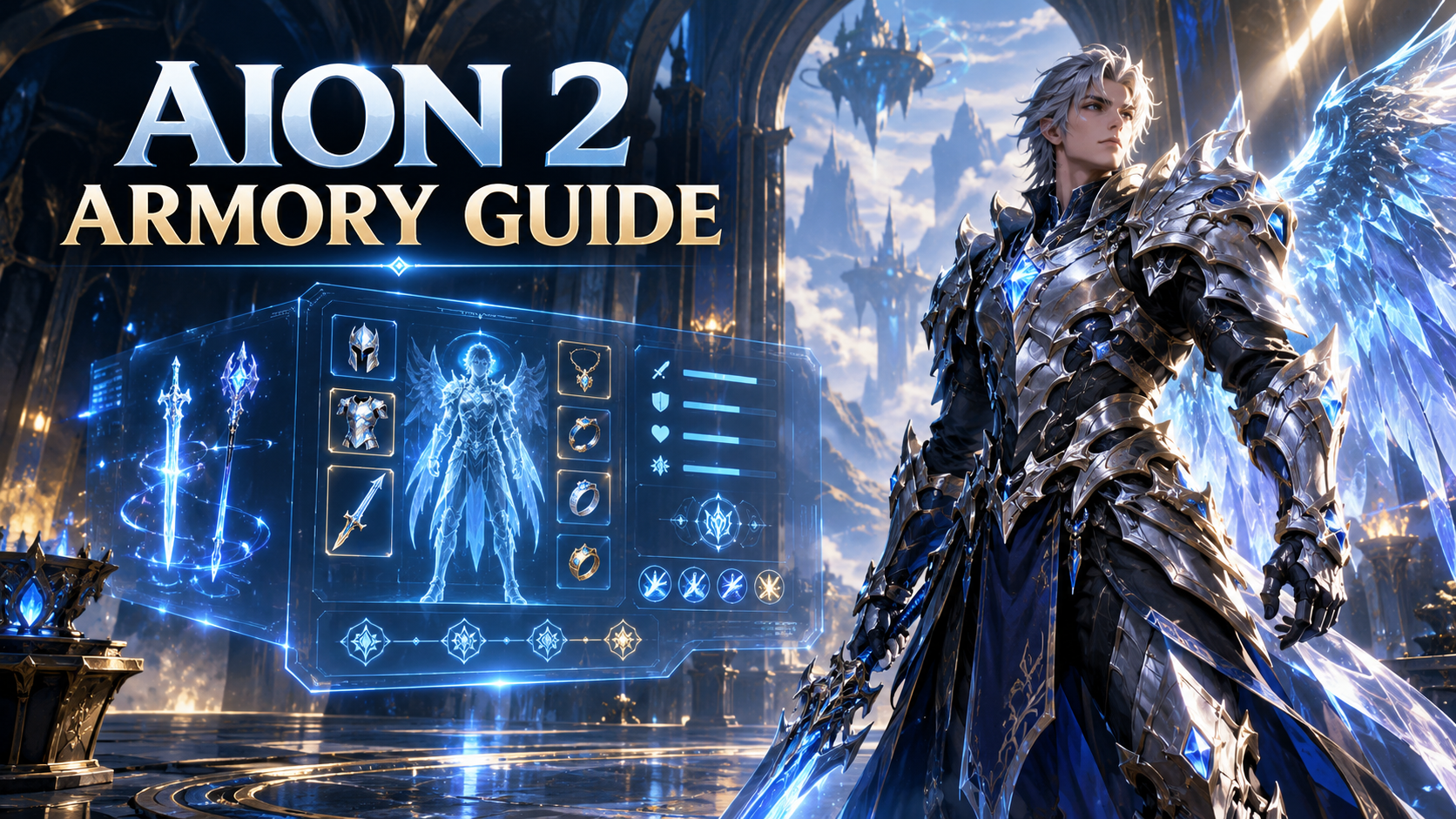
An AION 2 Armory is an online character inspection tool that allows players to search for AION 2 characters and view information about their equipment, progression, and combat capabilities.
The term "Armory" is commonly used by MMORPG communities to describe a website that displays character profiles outside the game.
In AION 2, this functionality is provided through NCSOFT’s official Character Search and various third-party websites.
What Can You See in an AION 2 Armory?
Depending on the website and the character data available, an Armory profile may include:
| Feature | What It Shows | Why It Matters |
|---|---|---|
| Character Information | Name, class, level, faction, and server | Identify the correct character |
| Combat Power | Overall combat power rating | Compare character progression |
| Item Level | Character equipment progression rating | Evaluate gearing progress |
| Equipment | Equipped weapons, armor, and accessories | Inspect gear choices |
| Enhancement Levels | Equipment upgrade levels | Understand gear investment |
| Equipment Attributes | Additional stats and item bonuses | Compare individual gear pieces |
| Manastones | Stones installed in equipment | Examine stat customization |
| Skills | Learned skills and their levels | Understand character abilities |
| Stigmas | Learned and equipped Stigma skills | Study build customization |
| Daevanion Boards | Unlocked progression nodes | Evaluate long-term progression |
| Arcana | Equipped cards and related effects | Inspect additional character bonuses |
| Titles | Equipped or collected titles | Examine progression bonuses |
| Wings and Pets | Character companions and wings | Inspect character configuration |
| Rankings | Relative position among tracked players | Compare with other characters |
Not every Armory provides every feature. Some focus on simple character search, while others offer advanced progression analysis.
Is AION 2 Armory an Official NCSOFT Feature?
The official feature is called AION 2 Character Search or Character Info.
Websites specifically branded as "AION 2 Armory" are generally independent community tools.
The distinction matters:
- Official Character Search: Character information published by NCSOFT.
- Third-party Armory: A community interface displaying official public character information, sometimes with additional calculations, historical records, or rankings.
Community Armories can make character data easier to explore, but their coverage, presentation, and update schedules vary.
2. Where Is the Official AION 2 Armory Website?
The official AION 2 character search is hosted on NCSOFT’s AION 2 website.
Official AION 2 Character Search:
https://aion2.plaync.com/en-us/characters/index
The official search interface includes region selection, server selection, a character-name search field, and a "Search My Characters" option.
Official AION 2 Character Search Links
| Resource | Website |
|---|---|
| Official AION 2 Character Search | https://aion2.plaync.com/en-us/characters/index |
| Official European Character Search | https://aion2.plaync.com/en-us/characters/index?region=eu |
| Official AION 2 Website | https://aion2.plaync.com/ |
| AION 2 PURPLE Lounge | https://lounge.plaync.com/ |
NCSOFT’s October 5, 2026 PURPLE Lounge announcement confirmed the addition of a Character Info Room that directs players to the official character search.
How to Access the Official Character Search
- Open the official AION 2 Character Search website.
- Select the region where your character exists.
- Choose the correct server or use the option for all servers in that region.
- Enter the character’s name.
- Submit the search.
- Select the correct result to open the character profile.
Important: The official website may remember a previously selected region or display a default region. Always verify that the selected region matches your character’s server.
If you cannot locate a character on the official website, try a third-party Armory that offers cross-server or partial-name search.
3. How to Use AION 2 Armory to Search Characters
You can search for your own character or another player’s character using an Armory website.
The process is similar across most services, although the available filters differ.
Method 1: Search Through the Official AION 2 Website
Step 1: Open the official character search.
Visit https://aion2.plaync.com/en-us/characters/index.
Step 2: Select your region.
Choose the geographical service where the character was created.
For example, a character on a European server should be searched under Europe rather than North America.
Step 3: Choose a server.
Select the appropriate server when you know it. Otherwise, use the available all-server search option.
Step 4: Enter the character name.
Use the character’s in-game name, including any special characters.
Step 5: Review the results.
If several characters share similar names, identify the correct one using its server, class, level, or faction.
Step 6: Open the profile.
Review the character information published through the official service.
Method 2: Search Through MetaBot.GG
MetaBot.GG offers an AION 2 Armory with detailed character information.
Website: https://metabot.gg/en/aion-2/armory
To search:
- Open the MetaBot AION 2 Armory.
- Select NA East, NA West, Europe, Asia, or Latin America.
- Type the character name.
- Check any matching characters displayed while typing.
- Press Enter to search the official character list for the selected region.
- Open the correct character profile.
MetaBot describes its Armory as supporting 106 Global servers across five regions. This is the site’s published coverage figure, not a permanent server count guaranteed by NCSOFT.
Its character profiles include equipment, stats, skills, Stigmas, Daevanion progress, titles, wings, and pets.
Method 3: Use Aion 2 Lookup
Website: https://aion2lookup.com/
Aion 2 Lookup provides additional search filters.
Its interface includes:
- Region selection
- Exact or partial character-name search
- Optional server filtering
- Faction selection
- Character favorites
- Recent searches
The website supports Global regions and Taiwan, although it currently states that Korean character searching is unavailable through its service.
Tips for Finding the Correct Character
If you receive too many results, narrow the search by region, server, and faction.
If you receive no results:
- Try a shorter portion of the character name.
- Double-check accents, symbols, and non-Latin characters.
- Confirm the correct region.
- Search the official website before relying on community caches.
- Allow time for newly created or renamed characters to appear.
These methods help distinguish a genuine missing-character problem from an incorrect search filter.
4. How to Check Character Gear and Equipment
Equipment inspection is one of the most useful AION 2 Armory features.
Players can examine another character’s weapons, armor, accessories, enhancements, and other item attributes without relying entirely on screenshots or in-game conversations.
How to Inspect AION 2 Equipment
- Open a character profile in an Armory that supports equipment inspection.
- Find the Equipment or Gear section.
- Select a weapon, armor piece, or accessory.
- Examine its enhancement level and item attributes.
- Check any displayed Manastones, Soul Binding effects, or other upgrade information.
- Open the item’s database page if the website provides one.
Advanced Armories may also display additional details such as breakthrough levels, soul imprint attributes, and related equipment effects.
What Equipment Information Should You Compare?
| Equipment Detail | What to Check | Practical Purpose |
|---|---|---|
| Weapon | Weapon type, grade, and attributes | Evaluate offensive setup |
| Armor | Individual armor pieces and their stats | Assess equipment configuration |
| Accessories | Equipped items and bonuses | Identify important supporting stats |
| Enhancement | Upgrade level of each item | Find progression differences |
| Manastones | Socketed stones and bonuses | Compare stat optimization |
| Soul Binding | Additional item attributes, where displayed | Evaluate gear customization |
| Item Level | Character’s reported equipment rating | Compare overall gearing progress |
Example: Comparing Two Players With Similar Equipment
Suppose two characters use the same weapon, but one has a higher enhancement level and a different combination of Manastones.
Their equipment may appear similar at first glance, yet the additional attributes could produce different combat stats.
An Armory allows you to identify these differences before deciding whether to upgrade your weapon or change its customization.
This is an illustrative comparison, not a claim that any specific upgrade guarantees a particular damage increase.
Can You See Every Item a Character Owns?
No. Armory profiles primarily expose information published in public character records, including equipped items.
They should not be treated as complete access to another player’s inventory, warehouse, unlisted equipment, or account data.
5. How to View Combat Power, Item Level, and Stats
Combat Power and Item Level are two of the most important values players search for in the AION 2 Armory.
They help describe character progression, but they should not be interpreted as identical measurements.
What Is Combat Power in AION 2?
Combat Power (CP) is a numerical rating reported by AION 2 for a character.
Players use it to compare progression and examine differences between characters.
Public character profiles report Combat Power, and several community websites use it to organize leaderboards.
However, the exact Combat Power calculation is not publicly documented in the game data examined by services such as MetaBot and Aion2Data.
For that reason, reliable Armory websites display the value reported by NCSOFT instead of inventing a formula.
What Is Item Level?
Item Level is another numerical value reported in AION 2 character data.
It provides an additional measure of equipment progression.
It is useful when checking whether your character is advancing through equipment upgrades or meeting content-related requirements.
Combat Power vs. Item Level vs. Gear Score
| Metric | Main Purpose | Important Limitation |
|---|---|---|
| Combat Power | Overall numerical character rating | Does not directly measure player skill |
| Item Level | Equipment progression measurement | Does not fully explain build effectiveness |
| Gear Score | Equipment-focused score displayed by some tools | Naming and presentation may differ by service |
Do not assume that Combat Power, Item Level, and Gear Score are interchangeable. Check the label and source of each number.
How to Check Combat Power
- Search for your character in the official Character Search or a third-party Armory.
- Open the character profile.
- Find the Combat Power value.
- Note the Item Level shown alongside the profile, if available.
- Review the equipped gear and progression details.
- Refresh the profile if the displayed data is outdated.
How to Use Combat Power for Progression
Instead of comparing yourself against every character, start with players who share your class and region.
Then inspect:
- Differences in equipment and enhancement
- Differences in item attributes
- Skills and Stigma levels
- Daevanion progression
- Additional equipment or progression systems displayed by the Armory
This gives you a more useful picture of where progression differences come from.
Important: Higher Combat Power does not automatically prove better PvP performance, higher damage in every encounter, or better group utility. Combat mechanics, build choices, and player execution also matter.
6. Best AION 2 Armory Websites and Tools
There are several useful AION 2 Armory websites, but their features and coverage are not identical.
The following services were available or documented as of November 5, 2026.
AION 2 Armory Websites Comparison
| Website | Best For | Reported Coverage | Official? |
|---|---|---|---|
| NCSOFT Character Search | Official character information | Official Global character search | Yes |
| MetaBot.GG | Detailed gear, stats, and class builds | Five Global regions | No |
| Shugo.GG | Character search and Combat Power rankings | Global, Korea, Taiwan | No |
| Aion 2 Lookup | Character lookup and profile inspection | Global and Taiwan | No |
| Aion2Data | Character profiles and tracked rankings | Global regions | No |
| Aion 2 Timers | Detailed KR/TW inspection and comparison | Korea and Taiwan on its documented Armory page | No |
| AION2 Armory | Character search and additional game tools | Global-focused | No |
1. Official AION 2 Character Search — Best for Official Information
Website: https://aion2.plaync.com/en-us/characters/index
The official NCSOFT website should be the starting point when you want to confirm that a character exists or check its published information.
Best for:
- Official character lookup
- Region and server filtering
- Reference character information
- Checking discrepancies with third-party websites
Because the information comes directly from the game’s operator, it is the preferred reference when unofficial tools disagree.
2. MetaBot.GG — Best for Detailed Character Inspection
Website: https://metabot.gg/en/aion-2/armory
MetaBot offers a detailed character viewer that connects character profiles with its broader AION 2 database.
Documented features include:
- Character search across Global regions
- Equipped gear and enhancement levels
- Primary and deity stats
- Skills and Stigmas
- Daevanion boards
- Titles, wings, and pets
- Combat Power leaderboards
- Class build information
The service also connects character data with individual item and skill pages, making it useful for researching builds.
3. Shugo.GG — Best for Cross-Region Rankings
Website: https://shugo.gg/character
Shugo.GG provides character profiles for Global, Korean, and Taiwanese services.
Its features include equipment inspection, Combat Power rankings, class-related information, and additional database tools.
Players can use its leaderboard to filter characters by region, server, class, and faction.
The site explains that its ranking lists are built from characters it has collected or looked up, rather than a guaranteed complete ranking of every character in AION 2.
4. Aion 2 Lookup — Best for Straightforward Character Search
Website: https://aion2lookup.com/
Aion 2 Lookup focuses on character searching and detailed public profiles.
It supports partial-name searches and provides filters for region, server, and faction.
Character pages can show:
- Equipment and enchantments
- Manastones and Godstones
- Stats
- Skills
- Daevanion progress
- Titles
- Pets and wings
It also supports browser-local favorites and recent searches.
5. Aion2Data — Best for Global Character Analysis
Website: https://aion2data.com/characters
Aion2Data provides Global character search and character-related progression information.
Its character pages use NCSOFT’s reported Combat Power and Item Level values rather than estimates.
The service also offers tracked-character rankings and information about popular skills, Stigmas, equipment, and Daevanion choices.
Its rankings should be interpreted as rankings of characters within its dataset, not necessarily the entire player population.
6. Aion 2 Timers — Best for Character Comparison and Progress Tracking
Website: https://www.aion2timers.com/armory/
The site’s documented Armory currently describes Korean and Taiwanese character lookup.
Its features include:
- Equipment inspection
- Arcana and Stigmas
- Daevanion boards
- Character comparison
- Community build checking
- Browser-local progress tracking
It supports comparing up to three characters side by side.
Note: Its Armory description still includes older wording about Global servers being added in the future. AION 2 Global launched on October 5, 2026, so that statement should not be interpreted as the current release status of the game.
Check the tool’s current region selector rather than assuming Global support.
7. AION2 Armory — Best for Additional Game Resources
Website: https://aion2-armory.com/
This community project combines character lookup with other AION 2 information.
Its published features include character equipment inspection, item information, interactive maps, and additional game resources.
It is a third-party project, not the official NCSOFT website.
Which AION 2 Armory Should You Choose?
For official character data, use NCSOFT’s Character Search.
For detailed Global character inspection, consider MetaBot.GG or Aion2Data.
For Korean or Taiwanese character rankings, Shugo.GG offers dedicated regional support.
For side-by-side comparison and progress tracking, Aion 2 Timers offers additional functionality for the regions it documents.
7. How to Inspect Skills, Stigmas, and Daevanion Boards
Equipment is only one part of a character’s build.
Skills, Stigmas, and Daevanion progression are also important when comparing characters.
How to Check Skills
- Open a character profile on an Armory that supports skill inspection.
- Find the Skills section.
- Review the available skills and levels.
- Check which skills are equipped, when that information is provided.
- Compare the setup with other characters of the same class.
Some tools link skills directly to database pages containing descriptions and per-level information.
How to Inspect Stigmas
Stigmas are an important part of AION 2 build customization.
An Armory may show which Stigmas a character has acquired and which ones are equipped.
These are not necessarily the same thing.
When analyzing a build, prioritize the Stigmas actually equipped if the website distinguishes them.
A player may own several Stigmas while using only a particular combination for their current activities.
How to View Daevanion Boards
Daevanion boards represent another character progression system.
Supported Armories can display unlocked nodes, board progress, and related attributes.
To inspect Daevanion progression:
- Open the character profile.
- Locate the Daevanion section.
- Select a board when supported.
- Review its unlocked nodes.
- Compare the progression against your own character.
- Identify differences relevant to your build.
How to Learn From High-Level Builds
A practical approach is to inspect several advanced players of your own class.
Record their commonly equipped Stigmas, major skill choices, and Daevanion progression.
For example, an Assassin player could compare the Stigmas used by several high-Combat-Power Assassins rather than copying a single character.
The same method applies to Gladiator, Templar, Ranger, Sorcerer, Spiritmaster, Cleric, and Chanter.
However, popular builds are not automatically optimal builds.
A character’s preferred setup may depend on whether the player focuses on PvE, PvP, solo farming, tanking, healing, or group support.
8. How to Compare AION 2 Characters and Builds
Character comparison helps you understand why two players using the same class have different equipment, stats, or Combat Power.
Method 1: Compare Characters Manually
Open two character profiles and record their main differences.
A simple comparison table looks like this:
| Comparison Category | Character A | Character B |
|---|---|---|
| Class | Same class | Same class |
| Combat Power | Record displayed value | Record displayed value |
| Item Level | Record displayed value | Record displayed value |
| Weapon | Note item and enhancements | Note item and enhancements |
| Accessories | Note equipment choices | Note equipment choices |
| Stigmas | Record equipped Stigmas | Record equipped Stigmas |
| Daevanion | Record unlocked nodes | Record unlocked nodes |
| Skills | Record important skill levels | Record important skill levels |
Fill in the table using actual character profile data.
Method 2: Use a Character Comparison Tool
Aion 2 Timers includes a side-by-side comparison function for up to three characters.
Its comparison interface can highlight stat differences relative to the first selected character.
Other websites, including Aion2.tools, also document character comparison functionality.
How to Compare Builds Properly
For meaningful comparisons:
- Compare the same class whenever possible.
- Keep the game version and region consistent.
- Compare characters intended for similar activities.
- Check equipment enhancements instead of looking only at item names.
- Inspect equipped Stigmas rather than just unlocked skills.
- Consider Daevanion and other progression systems.
- Use Combat Power as supporting information, not the only criterion.
Example: A Cleric optimized for supporting a party may prioritize different attributes and abilities from a Cleric focused on solo damage.
A difference in their builds does not necessarily mean that one player has made a mistake.
9. AION 2 Armory Rankings and Leaderboards
AION 2 Armory leaderboards allow players to explore characters with high Combat Power and inspect their progression.
They can be useful for finding well-developed characters, researching popular builds, and setting personal progression goals.
Where to Find AION 2 Character Rankings
| Website | Ranking Features |
|---|---|
| Shugo.GG | Combat Power rankings with region, server, class, and faction filters |
| MetaBot.GG | Tracked-character leaderboards by region and class |
| Aion2Data | Global tracked-character rankings |
| Aion 2 Timers | Ranking and comparison tools for supported services |
Shugo.GG leaderboard: https://shugo.gg/leaderboard
Aion2Data rankings: https://aion2data.com/rankings
How to Find the Strongest Players of Your Class
- Open a character-ranking website.
- Select your region.
- Choose the appropriate server if desired.
- Filter by your class.
- Sort by Combat Power.
- Open character profiles from the ranking list.
- Compare equipment and build details.
You can repeat this process across several characters to identify common progression choices.
Are Third-Party Armory Rankings Official?
Not necessarily.
Some community websites use NCSOFT’s reported Combat Power as the ranking metric, but their player lists come from the characters those websites have discovered or indexed.
For example, Shugo.GG states that characters enter its leaderboard after their profiles have been opened through the service. MetaBot also describes its leaderboards as tracked-character rankings.
Consequently:
- A character can be missing from a community leaderboard without being missing from the game.
- Rankings may not include every player.
- Some entries may have outdated Combat Power.
- Different websites can show different rankings.
The correct interpretation is often "highest-ranked characters tracked by this website," not "officially verified strongest players across all servers."
Can Rankings Help You Improve Your Build?
Yes, when used carefully.
You can identify equipment choices, Stigma combinations, and Daevanion patterns among advanced characters.
However, a Combat Power ranking is not proof of superior performance in every game mode.
10. Does AION 2 Armory Support Global, NA, EU, KR, and TW Servers?
Yes, AION 2 character inspection tools exist for Global, Korea, and Taiwan, but support depends on the website.
AION 2 officially launched globally on October 5, 2026, following Advanced Access beginning September 30.
The Global service and the Korean/Taiwanese services should be treated as separate environments when searching characters.
AION 2 Armory Region Support
| Region | Official/Community Lookup Availability | Notes |
|---|---|---|
| North America East | Supported by Global Armory tools | Select NA East |
| North America West | Supported by Global Armory tools | Select NA West |
| Europe | Supported by Global Armory tools | Select Europe or EU |
| Latin America | Supported by Global Armory tools | May be labeled SA or LA |
| Asia | Supported by Global Armory tools | Separate from Taiwan service |
| Korea | Supported by selected Armory tools | Regional access restrictions may apply |
| Taiwan | Supported by selected Armory tools | Often uses a separate region option |
Which Websites Support Different Regions?
MetaBot.GG documents five Global regions.
Shugo.GG documents Global, Korea, and Taiwan support.
Aion 2 Lookup documents Global regions and Taiwan, while noting restrictions on Korean character access.
Aion 2 Timers describes Korean and Taiwanese support on its Armory page.
Why Does Region Selection Matter?
Characters belong to specific regional services and servers.
Searching the wrong region can produce no results, even when the character exists.
A further complication is that some server names appear in more than one Global region.
For example, Shugo.GG’s server filters distinguish regional versions of servers sharing names such as Israphel.
Always verify both the server name and geographical region.
Can You Compare Global and Korean Characters?
You may be able to view profiles from both services through compatible tools, but direct build comparisons can be misleading.
Korean and Taiwanese services may run different game updates, level caps, classes, equipment systems, or balance changes from Global.
For build research, comparing characters on the same regional version is generally more useful.
11. Why Is My Character Not Showing in AION 2 Armory?
If your character does not appear in an Armory search, there are several possible explanations.
Common AION 2 Armory Problems
| Problem | Possible Cause | What to Do |
|---|---|---|
| Character not found | Wrong region | Select the correct region |
| No search results | Incorrect name | Check spelling and special characters |
| Multiple matching characters | Similar names across servers | Filter by server and faction |
| New character missing | Official search has not updated | Try again after a short period |
| Renamed character missing | Search index may still reflect older information | Search using the current name and retry |
| Profile shows old equipment | Cached character data | Use Refresh |
| Region unavailable | Third-party tool does not support it | Try another Armory |
| Search fails for everyone | Official service or community tool may be unavailable | Check another website |
| Character missing from rankings | Website has not indexed it | Open the character profile first |
| Profile removed from a community site | Site-specific privacy request or moderation | Check the official search |
Fix 1: Verify the Region
This should be your first troubleshooting step.
A character on a European server will not necessarily appear when you search North America West.
Fix 2: Try Partial-Name Search
Some Armories support searching part of a character name.
This can be helpful when names contain accented letters, unfamiliar characters, or symbols.
Fix 3: Check the Official Character Search
If a third-party Armory cannot find your character, try the official NCSOFT website.
If the character appears officially but not on a community website, the issue may involve that site’s indexing, caching, or regional support.
Fix 4: Refresh the Character Profile
A cached profile may still display equipment from an earlier lookup.
Use the website’s Refresh option if available.
Fix 5: Check Service Availability
Some community tools display the status of the official character data service.
If official character information is temporarily inaccessible, a third-party site may be unable to fetch a new profile.
Repeatedly searching the same character will not resolve a service-wide outage.
12. How Often Does AION 2 Armory Update Character Data?
There is no universal refresh interval across all AION 2 Armory websites.
Each community service uses its own caching and update strategy.
Character Data Refresh Comparison
| Armory | Published Refresh Behavior |
|---|---|
| Official AION 2 Character Search | No universal public refresh interval verified here |
| MetaBot.GG | Profiles older than 30 minutes refresh on opening; manual refresh limited to once every 10 minutes |
| Aion 2 Lookup | Profiles older than 5 minutes update in the background when opened; manual refresh limited to once every 60 seconds |
| Aion2Data | Profiles older than 6 hours update when opened; manual refresh available once every 10 minutes |
| Shugo.GG | Profiles fetched when opened with a short cache; top leaderboard entries periodically rechecked |
| Aion 2 Timers | Progress history recorded in the browser, with snapshot limits described by the site |
These are website-published policies and may change.
Why Does My Armory Show Old Gear?
Suppose you enhance your weapon and immediately open a third-party Armory.
The page may still display the earlier enhancement level because its cached copy has not yet been refreshed.
To resolve this:
- Check the last-updated timestamp.
- Click Refresh if available.
- Wait until the website’s refresh limit allows another request.
- Compare the profile with the official character search.
- Retry later if the official service has not published the change.
Do Leaderboards Update as Frequently as Character Profiles?
Not always.
Leaderboards may refresh on a separate schedule, even if individual character profiles can be updated more frequently.
For example, MetaBot documents scheduled character rechecks and leaderboard refreshes, while Shugo.GG states that its top-ranked characters are rechecked periodically.
A freshly refreshed character profile does not guarantee that every ranking page has already updated.
13. Is AION 2 Armory Safe and Official?
The official NCSOFT Character Search is an official game service.
Third-party Armories such as MetaBot.GG, Shugo.GG, and Aion 2 Lookup are community-operated websites.
Being unofficial does not automatically make a website unsafe, but it does mean players should verify the website before interacting with it.
How to Use AION 2 Armory Safely
- Start with the official NCSOFT website when checking character information.
- Verify the domain name before opening a character-search tool.
- Do not enter your NCSOFT password on an unrelated character lookup page.
- Never provide a one-time authentication code to a third-party Armory.
- Avoid downloading unknown software merely to inspect a character.
- Read the privacy policy of community services that store character data.
- Treat unexpected requests for payment or account credentials as warning signs.
Does AION 2 Armory Require Your Account Password?
A basic public-character search should not require you to provide account credentials to a third-party website.
The public character data used by community Armories is separate from your account password or payment details.
An official NCSOFT feature such as "Search My Characters" may involve official account authentication, but any sign-in should occur through a verified NCSOFT service.
Can AION 2 Armory Get Your Account Banned?
Simply viewing public character information through a normal website is different from using cheats, unauthorized automation, or software that manipulates the game.
However, do not assume every downloadable tool is authorized merely because it advertises Armory functionality.
For software that interacts with the game client, review NCSOFT’s current rules and the application’s behavior before installing it.
14. Can You Hide Your Character From AION 2 Armory?
Some third-party AION 2 Armory websites provide options to request that your character be removed or hidden from their own databases.
However, hiding a profile from one community website does not necessarily remove the underlying public character information published by NCSOFT.
How to Hide Your Character on a Third-Party Armory
The exact process depends on the website.
MetaBot.GG
MetaBot says players can request character removal through its contact or methodology information by providing the region, server, and character name.
Its published methodology states that hidden characters are excluded from profiles, leaderboards, and aggregate data.
Aion 2 Lookup
Its privacy policy states that character owners can request removal of saved profile information by contacting the site operator.
It also explains that removing the site’s stored copy does not remove information published by the official Armory.
Aion2Data
Aion2Data provides a "Report a mistake" process that can be used to request a character’s removal from its own profiles and rankings.
Can You Hide Your Character From the Official NCSOFT Search?
I could not verify a universal, publicly documented NCSOFT setting that guarantees removal of a character from the official AION 2 Character Search.
Therefore, players should not assume that changing an in-game privacy setting automatically prevents public Armory lookups.
If official-profile visibility is a concern, consult NCSOFT’s current support resources.
Does Streamer Mode Hide Your Armory Profile?
Not necessarily.
AION 2 includes Streamer Mode options for concealing account information and replacing the displayed character name in the game interface.
These are intended for on-screen privacy, particularly during streaming.
They should not be confused with removal from NCSOFT’s public character database.
Important Privacy Considerations
Remember that:
- Different websites may maintain separate copies of public profiles.
- Removing your character from one site may not remove it from others.
- A community website may retain historical snapshots.
- Search-engine indexing practices differ between websites.
- Public character information may remain accessible through the official service.
For privacy requests, contact the operator of the relevant website directly.
15. AION 2 Armory FAQ
What is the official AION 2 Armory?
The official AION 2 character lookup feature is NCSOFT’s Character Search, available at https://aion2.plaync.com/en-us/characters/index.
Is there an AION 2 Armory for Global servers?
Yes. The official Global Character Search is available, and community tools such as MetaBot.GG, Shugo.GG, and Aion2Data support Global character lookups.
Can I search another player’s character in AION 2?
Yes, when the character is available through the public search service and the Armory supports that region.
You generally need the character name and may need to choose the correct region or server.
Can I check someone’s equipment in AION 2 Armory?
Yes. Supported Armories display equipped weapons, armor, accessories, and enhancement information.
More advanced tools also show item attributes and socketed stones.
Can I see another player’s Combat Power?
Yes. Combat Power is included in the public character information displayed by several Armory websites.
Can I check my AION 2 Item Level online?
Yes. NCSOFT’s character information and compatible third-party viewers display Item Level.
Does AION 2 Armory show Stigmas?
Yes. Several community Armories display learned and equipped Stigmas, although the level of detail varies.
Can I view Daevanion boards?
Yes. MetaBot.GG, Aion 2 Lookup, Aion2Data, and other supported tools include Daevanion information.
Is AION 2 Armory available for Korean servers?
Yes, through selected tools including Shugo.GG and Aion 2 Timers. Korean character access can vary by website and the restrictions imposed by the regional service.
Can I search AION 2 Taiwan characters?
Yes. Shugo.GG, Aion 2 Lookup, and Aion 2 Timers document Taiwan character support.
Can I compare two AION 2 characters?
Yes. Some Armory websites provide dedicated comparison tools.
Aion 2 Timers documents side-by-side comparison of up to three characters, while other websites may offer different comparison features.
Why is my Combat Power different from the Armory?
The website may be showing an older cached profile.
Check its update timestamp and use the Refresh function when available.
If the discrepancy continues, compare the values with the official character search.
Can I find the highest-Combat-Power AION 2 characters?
Yes. Community leaderboard websites rank tracked characters using the Combat Power values reported by NCSOFT.
However, these lists may not include every character.
Is AION 2 Armory free?
The official public character search is accessible through NCSOFT’s website. The community character-search pages covered in this guide also provide publicly accessible lookup functionality.
Some related tools or applications may offer separate features or services.
Can I inspect a character’s inventory or Kinah?
The Armory services discussed here primarily expose published character-profile information, such as equipped items and progression.
They do not establish that another player’s full inventory, warehouse contents, account balance, or private account information is publicly accessible.
Is there an AION 2 Armory mobile app?
Character-search websites can be accessed through a mobile browser where supported.
Some community projects also offer desktop companion applications, but a dedicated official Armory mobile app was not verified for this guide.
Do I need to log in to search characters?
Public character lookup tools generally allow searching without entering NCSOFT account credentials.
The official "Search My Characters" feature is separate from basic public lookup and may involve official account access.
Which AION 2 Armory is best?
For official information, use NCSOFT Character Search.
For detailed character builds and equipment, MetaBot.GG is a useful option.
For regional rankings, consider Shugo.GG.
For character comparison and progress tracking, Aion 2 Timers provides additional functionality on its documented supported services.
About the Author