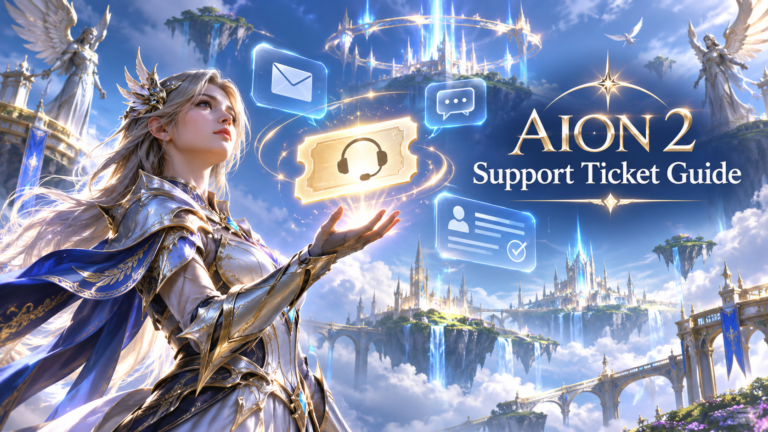
If you’re having trouble with AION 2, submitting a support ticket is the official way to contact NCSOFT about account bans, login errors, missing purchases, payment problems, and other issues that require customer service assistance.
You can submit an AION 2 support ticket through the official NCSOFT Support Center at https://help.plaync.com/faq/aion2global . Select Submit an Inquiry, choose the relevant issue category, describe your problem, and provide supporting information. You can also use My Inquiries to access your existing support requests.
Support tickets are especially important for players dealing with account restrictions. On November 4, 2026, NCSOFT announced restrictions affecting 2,423 AION 2 accounts in connection with botting, gold farming, unauthorized programs, and real-money trading (RMT). The company instructed players who believed their accounts had been restricted incorrectly to contact customer support.
This guide explains how to submit and track an AION 2 support ticket, appeal a ban, recover an account, report technical problems, and prepare the information customer service needs to investigate your issue.
1. How to Submit an AION 2 Support Ticket
Submitting a support ticket is straightforward, but selecting the right category and providing complete information can help NCSOFT understand your problem without requiring repeated clarification.
Step 1: Visit the Official AION 2 Support Center
Open the official customer support website:
The website provides support resources for account security, gameplay issues, installation problems, purchases, and refunds.
Step 2: Sign In to Your Account
Sign in using the account credentials associated with your AION 2 game access.
NCSOFT’s online support guidance recommends logging in because responding accurately to inquiries submitted without authentication can be more difficult.
If you cannot access your account, look for the support center’s non-login inquiry option and follow any identity-verification instructions.
Step 3: Select "Submit an Inquiry"
Find Submit an Inquiry near the top of the support website.
This opens the process for contacting NCSOFT customer service directly.
An official AION 2 community manager has also directed players to this button when resolving account and purchase-related problems.
Step 4: Choose AION 2 and the Correct Support Category
Select AION 2 Global and choose the category that best matches your problem.
|
Support Category |
Common Problems |
|---|---|
|
Account/Security |
Account bans, account recovery, login problems, security locks |
|
Gameplay Topics |
Missing rewards, character problems, gameplay errors |
|
Installation/Access/Execution |
Crashes, startup errors, connection problems |
|
Purchase/Refund |
Billing errors, failed transactions, missing purchases |
|
Report or policy-related inquiry |
Suspected cheating, account theft, abusive behavior, sanctions |
The exact inquiry labels may differ from the broader FAQ categories.
Step 5: Describe Your Problem Clearly
Write a short, descriptive subject and explain what happened.
For example:
Subject: AION 2 Account Restricted – Request for Review
Include your character name, server, account login platform, time of the incident, and any relevant error or restriction messages.
Avoid descriptions such as "My game doesn’t work" or "Please fix my account" without additional details.
Step 6: Attach Supporting Evidence
Depending on your issue, useful attachments may include screenshots of error messages, transaction receipts, or evidence showing a missing reward.
Only provide information that is necessary to investigate your problem. Do not include your password, authentication codes, or complete payment-card number.
Step 7: Submit and Track Your Inquiry
Review the form before submitting it. After submission, check whether the site displays a confirmation or inquiry reference.
Keep any reference number provided, and use My Inquiries to check for responses.
NCSOFT’s official online inquiry guidance describes a process of choosing a service, selecting an inquiry type, and submitting the details of the problem. It also notes that certain inquiries may require identity verification.
2. Where Is the Official AION 2 Support Website?
AION 2 customer support is provided through NCSOFT’s official PLAYNC support services.
The following websites are useful for different support needs.
|
Official Resource |
Purpose |
|---|---|
|
Submit tickets and browse AION 2 help articles |
|
|
General customer support and existing inquiries |
|
|
Learn how the inquiry process works |
|
|
Review account sanctions, appeals, RMT rules, and restoration policies |
|
|
Official announcements, game updates, and community information |
|
|
Steam transactions and Steam account problems |
Should You Contact NCSOFT or Steam Support?
It depends on the type of problem.
For account sanctions, in-game restrictions, missing characters, and most gameplay issues, begin with NCSOFT Support.
For Steam account authentication, Steam Wallet transactions, and refund requests handled by Steam, use Steam Support as appropriate.
If the issue concerns an AION 2 purchase made through Steam but the purchased item is missing in-game, you may need to contact NCSOFT with the Steam transaction details.
Can You Contact AION 2 Support Through Discord?
AION 2’s official launch FAQ identifies Discord as a channel where players can report bugs. However, Discord discussions should not replace a formal customer support inquiry when account security, payments, or ban appeals are involved.
For sensitive account issues, use the official support portal rather than sharing personal account information in public channels.
3. How to Submit an AION 2 Ban Appeal Ticket
If your AION 2 account has been suspended, permanently banned, or temporarily locked, you can request a review through NCSOFT Customer Support.
However, a ban appeal does not guarantee that your account will be restored. NCSOFT reviews individual cases according to its Operation Policy.
Understand Why Your AION 2 Account Was Banned
Before submitting an appeal, identify the restriction reason.
AION 2’s official Operation Policy lists several categories of violations.
|
Violation |
Published Sanction |
|---|---|
|
Real-Money Trading (RMT) |
30-day first sanction; 90-day second sanction |
|
Attempted RMT |
3 days, 7 days, then 30 days |
|
Gold Farming / Bot Operations |
Integrated account ban |
|
Use of Unauthorized Programs |
Integrated account ban |
|
Account Trading |
7 days, 30 days, then 90 days |
|
Exploitation of Bugs |
7 days, 30 days, 90 days, then permanent ban |
|
Payment Fraud |
Integrated account ban |
These are the published sanction categories, not guarantees about the outcome of any particular case. Additional violations, aggravating circumstances, or other policy provisions may affect enforcement.
AION 2 RMT Ban Appeals
Real-money trading is an important reason players may need to contact support.
Under NCSOFT’s rules, RMT includes exchanging in-game currency or items for real money, external goods, or services. Unauthorized account boosting and certain paid character progression services may also violate the rules.
On November 4, 2026, NCSOFT specifically warned that purchasing Kinah from third-party sellers could lead to account suspension or termination.
If you believe an RMT restriction was applied incorrectly, submit an appeal containing a factual account of the relevant transactions and gameplay activity.
Do not invent an explanation or delete potentially relevant evidence.
Step-by-Step AION 2 Ban Appeal Process
- Visit the official AION 2 Support Center .
- Select Submit an Inquiry.
- Sign in, or use the available alternative inquiry method if your account cannot be accessed.
- Select an account, sanction, or related support category.
- Enter your character name, server, and restriction details.
- Explain why you believe the restriction deserves review.
- Attach screenshots or other relevant evidence.
- Submit the appeal and check My Inquiries for updates.
AION 2 Ban Appeal Deadline
Important: NCSOFT’s AION 2 Global Operation Policy requires appeals to be submitted within 15 days of the sanction.
If your account was banned, submit your appeal promptly rather than waiting until the final day.
AION 2 Ban Appeal Ticket Example
The following is an example players can adapt to their own circumstances.
Subject: Request for Review of AION 2 Account Restriction
Hello AION 2 Support Team,
My AION 2 account was restricted on [date and time]. I would like to request a review of this restriction because I believe it may have been applied incorrectly.
Character Name: [Name]
Server/Region: [Server and Region]
Login Platform: [Steam or PURPLE]
Restriction Message: [Exact message]
Description of the Issue:
[Explain the circumstances accurately, including any relevant gameplay or transactions.]
I have attached supporting screenshots and information to assist your investigation. Please review my account and let me know if additional verification is needed.
Thank you.
Can You Appeal a Permanent AION 2 Ban?
Yes. NCSOFT’s appeal process is available for account sanctions, including cases involving serious restrictions.
However, permanent bans are more serious than temporary suspensions. Players should not assume that submitting a ticket automatically results in reinstatement.
What Is the Difference Between a Ban and a Temporary Security Lock?
This distinction is important.
NCSOFT explains that some accounts receive temporary security locks because a login device, connection, or access pattern suggests a potential security risk.
A security lock is a protective measure rather than a disciplinary penalty. If your account is temporarily locked, contact support for verification and access recovery instead of assuming it has been banned for misconduct.
4. How to Check Your AION 2 Support Ticket Status
After submitting a support request, you can return to NCSOFT’s support website to check whether customer service has responded.
How to Track an Existing Support Ticket
- Visit https://help.plaync.com/ .
- Sign in using the account associated with your original inquiry.
- Select My Inquiries.
- Find the relevant support request.
- Open the inquiry to review available messages and updates.
- Follow any instructions requesting additional information.
The official support website provides a dedicated My Inquiries function.
What Do Different Ticket Statuses Mean?
Ticket status labels can vary depending on the support interface. The following table explains common customer service terminology rather than confirmed AION 2-specific status labels.
|
Possible Status |
General Meaning |
|---|---|
|
Submitted / Received |
The inquiry has been recorded |
|
Pending |
The request is awaiting action or review |
|
In Progress |
The issue is being examined |
|
Awaiting Information |
Additional details may be required |
|
Answered / Resolved |
Support has provided a response or completed its handling |
Always rely on the actual status and messages shown in your NCSOFT inquiry.
Why Can’t I Find My AION 2 Support Ticket?
If your previous inquiry is missing, check whether you signed in through the same account or authentication method you originally used.
AION 2 supports Steam and PURPLE, and players may have multiple linked login methods. Signing into a different account can create confusion about which account contains the relevant support history.
Also check for any submission confirmation you saved. If you are unsure whether the original request was submitted successfully, contact support and explain the situation rather than repeatedly sending identical inquiries.
5. How Long Does AION 2 Customer Support Take to Respond?
There is no verified, universal response-time guarantee published in the official AION 2 support materials reviewed for this guide as of November 5, 2026.
The time needed to resolve a request may depend on its complexity, the evidence provided, and whether account verification or further investigation is necessary.
Why Some AION 2 Support Tickets Take Longer
Different issues require different levels of investigation.
|
Ticket Type |
Why It May Require Additional Investigation |
|---|---|
|
Simple account question |
Support may only need to provide instructions |
|
Login problem |
Authentication and account details may need checking |
|
Missing purchase |
Transaction and delivery records may require review |
|
Technical issue |
Logs and system information may need analysis |
|
Account ban appeal |
Account activity and enforcement decisions may need examination |
|
Hacked account |
Ownership verification and security investigation may be necessary |
NCSOFT’s Operation Policy acknowledges that reported investigations may take time and sometimes require reinvestigation.
How Can You Help Support Resolve Your Ticket Faster?
You cannot guarantee a faster response, but you can reduce unnecessary back-and-forth.
Provide the correct account information, include complete error messages, describe when the problem began, and attach relevant evidence during your initial submission.
Avoid opening multiple tickets about the same incident unless the original ticket cannot be accessed or support specifically requests a new inquiry.
6. What Information Should You Include in an AION 2 Support Ticket?
The quality of your initial report can make a meaningful difference to the support process.
A good ticket should explain three things: what happened, when it happened, and what assistance you are requesting.
AION 2 Support Ticket Information Checklist
Ticket preparation checklist
- Character name and server
- Region and login platform (Steam or PURPLE)
- Clear subject and detailed problem description
- Date and approximate time of the incident, including time zone
- Exact error code or restriction message
- Steps already taken to troubleshoot
- Relevant screenshots, logs, or transaction references
- A specific request for the action you need
What Should You Include for Specific Problems?
|
Problem |
Most Useful Details |
|---|---|
|
Account ban |
Restriction notice, sanction date, character/server information |
|
Crash or startup error |
Error code, hardware specifications, logs, recent changes |
|
Payment failure |
Transaction time, payment method, error code, payment reference |
|
Missing item |
Item name, expected source, inventory details, incident time |
|
Connection problems |
Region, ISP, connection error, time of disconnection |
|
Account theft |
Suspicious activity timeline, access changes, ownership information |
For example, NCSOFT’s official billing FAQ specifically recommends providing the error code, country or region, payment method, and approximate purchase time when reporting certain card verification errors.
Information You Should Never Share
Do not submit passwords, two-factor authentication codes, recovery codes, or complete credit-card details through a normal ticket description.
If NCSOFT requires identity verification, follow the secure process it provides on its official website.
7. AION 2 Account Recovery and Login Support
Players may need to contact AION 2 customer support if they cannot sign in, lose access to their characters, or suspect unauthorized account activity.
A. Recovering a Hacked or Compromised Account
If you believe another person has gained access to your AION 2 account:
- Try to secure the associated NC or Steam account using official account recovery options.
- Change your password if you still have access.
- Review linked login methods and available security settings.
- Check for suspicious account changes or unfamiliar transactions.
- Contact NCSOFT Support and describe the suspected compromise.
- Follow any ownership verification instructions.
Important: The AION 2 Global Operation Policy states that account theft reports and related damage investigations must be filed within 15 days of the incident, including the incident date.
This makes prompt reporting particularly important.
B. AION 2 Steam and PURPLE Account Linking Problems
AION 2’s global version supports Steam and PURPLE.
According to NCSOFT’s official FAQ, players can access an existing character across supported launchers when using the appropriate linked accounts. However, changing account links does not automatically transfer character data to a different NC account.
If your character disappears after changing your account link, check the original account before assuming the character has been deleted.
For Steam account linking, NCSOFT provides a management interface at:
https://id.plaync.com/account/logininfo
Unlinking or relinking accounts without understanding which account owns your character data can create additional access problems.
C. AION 2 Account Conflict Errors
NCSOFT documents a specific issue involving NC accounts and PLAYNC accounts registered with the same email address.
In some circumstances, this can cause login conflicts.
The official resolution process may require verifying the conflict and changing the email address associated with the relevant NC account. Follow the official instructions rather than creating additional accounts at random.
D. AION 2 Steam Login Error 1138:100134
NCSOFT has documented the Steam linking error 1138:100134.
Its support article recommends trying to run Steam as an administrator and then launching the game again. If the error persists, the player should submit a customer service request.
When reporting this issue, include the full error code and describe whether the problem began after linking or changing an account.
8. AION 2 Payment, Purchase, and Refund Support
Payment-related tickets may involve unsuccessful transactions, unexpected charges, or purchased items that do not appear in the game.
The correct support route depends partly on whether the payment was made through Steam or PURPLE.
A. Missing AION 2 Purchases
If you paid for an item but did not receive it, check that you are accessing the correct game account and character.
Then collect the purchase details.
Include the product name, transaction reference, approximate purchase time, payment platform, and a screenshot of the relevant purchase history.
For purchases tied to a Steam account, keep the Steam transaction receipt available.
An actual AION 2 Steam discussion illustrates this process: when a player reported losing access to a Founder’s Pack entitlement, an official NCSOFT community manager directed the player to submit an inquiry through the AION 2 support center because the forum team could not resolve the account-specific issue directly.
B. AION 2 Payment Errors
If your payment fails, note the complete error message before attempting another purchase.
NCSOFT’s support materials document card verification issues involving Xsolla, including Error Code 1000.
For this kind of issue, the company requests details such as the country, payment method, error code, and approximate transaction time.
If a charge is visible but the payment appears to have failed, check your payment history before repeatedly retrying the transaction.
C. How to Request an AION 2 Refund
Refund handling depends on where the purchase occurred.
|
Purchase Type |
Recommended Starting Point |
|---|---|
|
Steam purchase |
Steam Support |
|
Steam Wallet payment |
Steam purchase history and Steam Support |
|
PURPLE direct purchase |
NCSOFT billing support |
|
Missing in-game item |
NCSOFT AION 2 Support |
|
Unrecognized charge |
The relevant platform’s secure payment support |
Steam’s general refund policy includes a 14-day and two-hour standard for eligible games, but this rule must not be assumed to apply to every AION 2 in-game purchase.
Steam has separate rules for DLC and in-game purchases, and refund eligibility depends on the transaction and product type.
For PURPLE purchases, submit a billing inquiry and ask support to confirm the applicable refund policy before assuming a refund is available.
9. How to Report Bugs and Technical Issues in AION 2
AION 2 players can encounter technical issues including startup failures, unexpected crashes, connection errors, graphics problems, and broken gameplay features.
Before submitting a ticket, check the official troubleshooting resources to see whether a solution is already available.
A. AION 2 Crashes or Fails to Launch
NCSOFT’s official troubleshooting articles recommend several actions for common crash-related problems.
|
Troubleshooting Step |
Purpose |
|---|---|
|
Verify Steam game files |
Identify and repair missing or corrupted game files |
|
Update your graphics driver |
Address potential driver compatibility problems |
|
Temporarily disable overlays |
Check whether overlay software causes conflicts |
|
Close conflicting background applications |
Identify programs interfering with game execution |
|
Check NCGuard error messages |
Find specific security-related block codes |
|
Review overclocking settings |
Investigate potential hardware instability |
|
Submit logs and screenshots |
Give support evidence for further investigation |
NCSOFT has identified potential conflicts involving remote desktop tools, other game clients, peripheral software, monitoring utilities, and some overlays. Its crash guidance also discusses hardware- and driver-specific troubleshooting.
Change one setting at a time when possible so you can determine which action actually resolves the problem.
B. Reporting NCGuard Block Codes
If AION 2 closes with an NCGuard notification, record the exact block code.
Check the official NCGuard Block Guide referenced by NCSOFT.
If the recommended steps do not resolve the issue, support asks affected players to provide the NCGuard logs, error name, available screenshots, and information about applications running during the crash.
C. Reporting Connection and Disconnection Problems
If you cannot connect to an AION 2 server, first check whether scheduled maintenance or a known outage is affecting the service.
If other players can connect but your connection continues to fail, collect the error information and record when the problem began.
NCSOFT’s connection troubleshooting FAQ requests information including the player’s country, internet service provider, and the time the issue started.
D. Reporting Gameplay Bugs
For gameplay bugs, describe exactly how to reproduce the problem.
A useful bug report should include:
- The affected quest, dungeon, NPC, item, or gameplay feature.
- What you expected to happen and what actually happened.
- The steps that trigger the bug.
- Whether the problem happens consistently.
- Screenshots or recordings that demonstrate the issue.
NCSOFT’s official launch FAQ directs players to the bug-reports channel in its official Discord. The Operation Policy also recognizes community channels as a way to report game bugs.
If the bug involves private account information or missing purchases, use a formal customer support inquiry.
10. What to Do If Your AION 2 Support Ticket Is Not Answered
If your ticket remains unanswered, start by verifying that the request was successfully submitted.
Step 1: Check My Inquiries
Return to the official support center and open My Inquiries.
Review the ticket for any requests for additional information.
Step 2: Check Your Email
Look for notifications associated with your support account, including in spam or junk folders.
Make sure your account’s contact email address is accessible.
Step 3: Review Your Original Ticket
If the request lacks an error code, transaction reference, screenshot, or other important detail, provide that information through the existing inquiry where the interface allows it.
Step 4: Follow Up on the Existing Inquiry
If a reasonable amount of time has passed without a response, consider a concise follow-up.
Reference the existing inquiry and explain whether the issue is still occurring.
There is no verified universal escalation deadline for AION 2 support, so avoid assuming that a ticket must receive a response within a specific number of hours.
Step 5: Avoid Duplicate and Abusive Reports
Do not repeatedly submit identical tickets to pressure support.
AION 2’s Operation Policy specifically identifies abuse of reporting and customer support services, including repeated identical inquiries, as conduct that may result in sanctions.
Step 6: Watch for Time-Sensitive Deadlines
If your issue concerns a ban appeal or account theft, do not let an unanswered earlier message prevent you from meeting the relevant policy deadline.
Preserve evidence of your original submission.
If the inquiry process failed before confirmation, attempt the appropriate official channel promptly and explain the circumstances.
11. AION 2 Support Ticket FAQ
How do I contact AION 2 customer support?
Visit https://help.plaync.com/faq/aion2global and select Submit an Inquiry. Choose the relevant category and provide the details of your problem.
Is submitting an AION 2 support ticket free?
The official online inquiry service does not list a ticket submission fee. You should not need to pay a third-party service to submit a routine support request.
Can I submit an AION 2 support ticket without logging in?
The NCSOFT support homepage includes a non-login inquiry option. However, some issues may require account authentication or identity verification.
How do I appeal an AION 2 RMT ban?
Submit an inquiry through the official support center, explain the restriction circumstances accurately, and provide relevant supporting evidence. The Operation Policy requires sanction appeals within 15 days.
Can AION 2 support remove a permanent ban?
Players can request a review, but reversal is not guaranteed. NCSOFT determines the outcome according to the applicable policies and its investigation.
Why was my AION 2 account banned for buying Kinah?
NCSOFT prohibits unauthorized real-money trading involving in-game currency. Its November 4, 2026 announcement specifically warned that buying Kinah from third-party sources can result in suspension or termination.
Does long grinding automatically cause an AION 2 ban?
NCSOFT has stated that normal gameplay, including extended grinding sessions, is not the target of its enforcement measures. The company distinguishes regular gameplay from prohibited conduct such as botting, gold farming, and unauthorized trading.
How long does an AION 2 ban appeal take?
No confirmed universal processing time was available in the official sources reviewed. Complex appeals may require further investigation.
How do I check my AION 2 ticket status?
Sign in to https://help.plaync.com/ and select My Inquiries to review existing requests.
Can I submit multiple AION 2 support tickets?
You can submit separate inquiries for genuinely different issues. However, repeatedly submitting identical inquiries may violate NCSOFT’s Operation Policy.
Can Steam Support remove an AION 2 ban?
For game-level enforcement decisions made by NCSOFT, use NCSOFT’s official appeal process. Steam Support is appropriate for Steam-related account and transaction issues, but should not be treated as a substitute for the game’s ban appeal system.
What should I do if my AION 2 character disappears after linking accounts?
First confirm that you are using the original NC account that contains your character data. NCSOFT explains that linking another account does not transfer characters automatically. Follow its account-linking recovery guidance before changing additional connections.
Can AION 2 customer support recover stolen items?
Recovery depends on the circumstances and available records. The Operation Policy establishes restoration rules, limits certain kinds of recovery, and indicates that reporting promptly is important. In general, older incidents may be more difficult to verify.
How do I report another player in AION 2?
Use the official reporting channels provided by NCSOFT. Supply the character name, server, approximate incident time, description, and relevant evidence. Avoid making unsubstantiated accusations.
What should I do if the AION 2 support website is not working?
Try refreshing the page, signing in again, or using another browser. Check whether browser extensions or blocked scripts interfere with the support site. If the problem continues, use the official support homepage and look for available alternative inquiry options.
About the Author