On this page
- What Is the PoE Session ID (POESESSID)?
- How to Find Your PoE Session ID
- Find PoE Session ID in Google Chrome
- Find PoE Session ID in Microsoft Edge
- How to Find PoE Session ID in Firefox
- Find PoE Session ID in Opera
- Find POESESSID in IE 11
- What Is the PoE Session ID Used For?
- How to Reset Your PoE Session ID
- Why You Should Never Share POESESSID
- OAuth: The Safer Alternative to POESESSID
- Why Can’t I Find POESESSID?
- PoE Session ID FAQ
If you use third-party tools for Path of Exile (PoE), you may have encountered the term POESESSID, also called the PoE Session ID. This session cookie helps keep you logged in to the official Path of Exile website.
Some older applications, including Procurement, have used POESESSID to access account information, characters, and stash tabs. However, sharing this cookie can expose your account to significant security risks.
This updated guide explains what POESESSID is, how to locate it in Chrome, Microsoft Edge, Firefox, and Opera, how to reset it, and why OAuth is the safer option for third-party applications.
What Is the PoE Session ID (POESESSID)?
POESESSID is an authentication cookie associated with your logged-in session on the official Path of Exile website.
When you sign in, the website uses session information to recognize your account as you move between pages without requiring you to enter your credentials repeatedly.
Some legacy Path of Exile tools have relied on POESESSID to access website endpoints and retrieve account-related information, including character and stash data.
Important things to know about POESESSID:
- It is an authentication credential, not your Path of Exile account name or character ID.
- It is stored in your browser’s cookie storage.
- The cookie name is POESESSID, not PHPSESSID.
- It can allow access to sensitive website account functions.
- You should never share its value with other people or untrusted services.
Grinding Gear Games has explicitly warned that someone possessing your POESESSID may gain extensive access to your website account, potentially including personal information and account-related actions.
How to Find Your PoE Session ID
You can inspect your own POESESSID through your browser’s built-in Developer Tools.
The general process is similar across modern browsers:
- Open https://www.pathofexile.com/.
- Log in to your Path of Exile account.
- Open your browser’s Developer Tools.
- Locate the Cookies section.
- Select the Path of Exile website.
- Find the cookie named POESESSID.
- Inspect its value without disclosing it.
The exact steps depend on your browser.
Find PoE Session ID in Google Chrome
Google Chrome provides a straightforward way to inspect website cookies through Developer Tools.

- Open Google Chrome and visit https://www.pathofexile.com/.
- Sign in to your Path of Exile account.
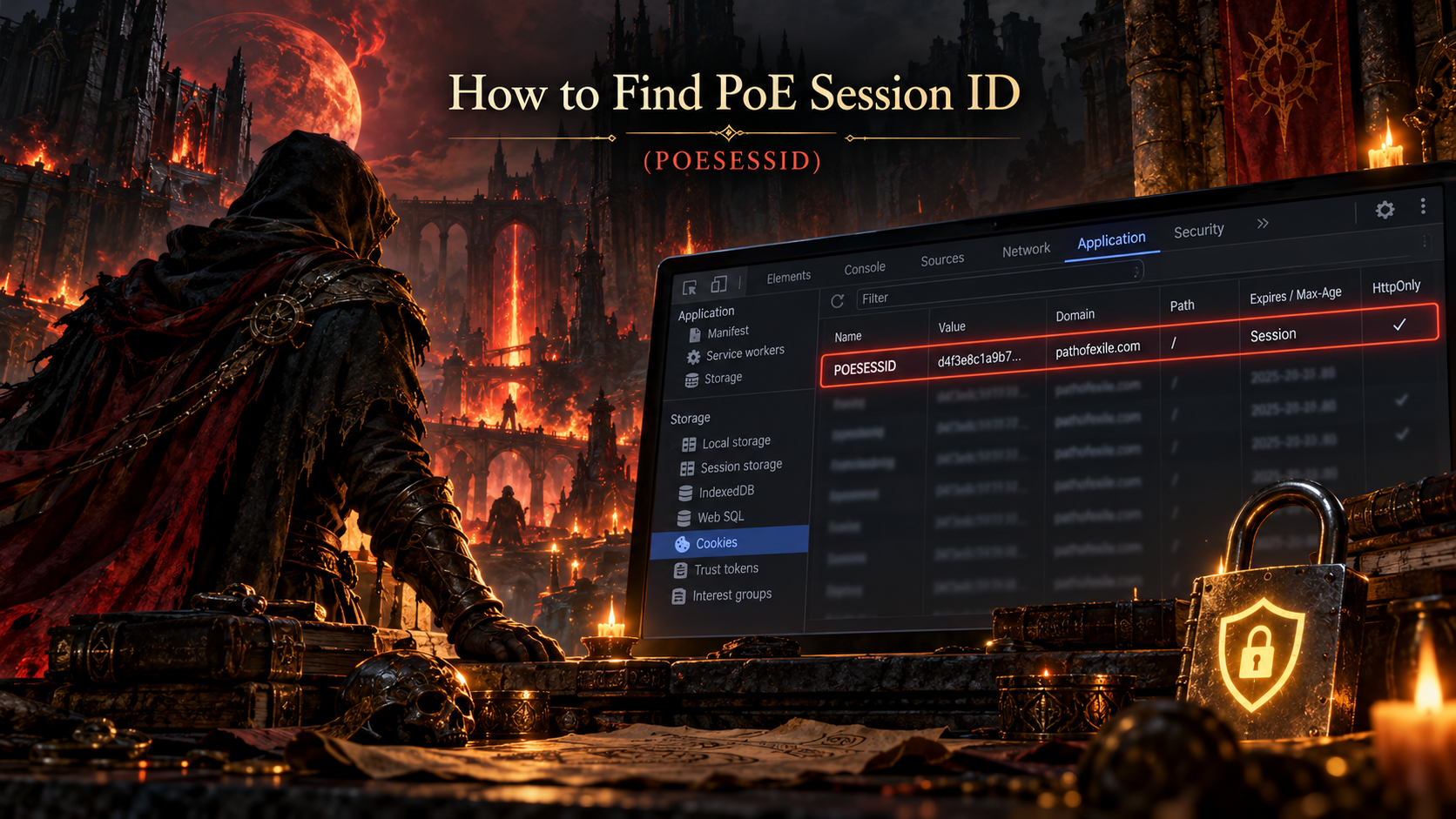
- Press F12 or Ctrl + Shift + I on Windows or Linux to open Developer Tools. On macOS, use Command + Option + I.
- Select the Application tab. If it is hidden, find it in the additional panels menu.
- In the left sidebar, expand Storage, then Cookies.
- Select https://www.pathofexile.com or the corresponding Path of Exile origin.
- Look for POESESSID in the Name column. You can use the filter box to find it.
- The corresponding Value field contains the session cookie value.
Chrome lets you inspect cookie names, values, domains, expiration information, and other properties directly in Developer Tools.
For account security, do not paste the value into a website or application that you have not independently verified.
Find PoE Session ID in Microsoft Edge
Microsoft Edge uses Chromium-based Developer Tools, so its cookie inspection process is nearly identical to Google Chrome.
- Open Microsoft Edge.
- Navigate to https://www.pathofexile.com/ and sign in.
- Press F12 or Ctrl + Shift + I.
- Open the Application panel.
- Expand Cookies under the Storage section.
- Select the Path of Exile website origin.
- Locate POESESSID in the Name column.
- Inspect the corresponding Value field.
If you cannot find the Application tab, open the additional panels menu in Developer Tools.
Do not confuse POESESSID with unrelated website cookies.
How to Find PoE Session ID in Firefox
Mozilla Firefox uses a different interface for inspecting browser cookies.
Older tutorials describe navigating through Firefox’s Privacy settings and selecting "Remove Individual Cookies." Those instructions are outdated.

The current method uses Firefox’s Storage Inspector.
- Launch Firefox and visit https://www.pathofexile.com/.
- Sign in to your Path of Exile account.
- Press F12 or Ctrl + Shift + I on Windows or Linux. On macOS, use Command + Option + I.
- Open the Storage tab in Developer Tools.
- Expand Cookies in the left sidebar.
- Select the Path of Exile website.
- Find POESESSID in the cookie list.
- Inspect the value displayed in the Value column.
Firefox’s Storage Inspector also displays cookie properties such as domain, path, expiration, Secure, and HttpOnly.
This method replaces the outdated Firefox instructions found in older Path of Exile guides.
Find PoE Session ID in Opera
Opera includes Chromium-based Developer Tools, making the procedure similar to Chrome and Edge.

- Open Opera and log in to https://www.pathofexile.com/.
- Press Ctrl + Shift + I on Windows or Linux to open Developer Tools.
- Alternatively, open Opera’s menu and select Developer > Developer Tools.
- Select the Application tab.
- Expand Storage > Cookies.
- Choose the Path of Exile website origin.
- Search for POESESSID in the Name column.
- Inspect the corresponding session value.
The Application panel provides access to browser cookies and other site storage information.
Find POESESSID in IE 11

- Navigate and login to pathofexile.com
- Press F12 to open the Developer Tools
- Click on the Network button within the Developer Tools
- Enable capture of network traffic by clicking on the green triangular button in the top toolbar
- Capture some network traffic by interacting with the pathofexile.com page
- Click on DETAILS (tab at top left)
- Click on Cookies in the same area
- Look for PHPSESSID line, right-click -> COPY — this is your session id
What Is the PoE Session ID Used For?
POESESSID primarily authenticates your session on the Path of Exile website.
Historically, certain community tools used it to retrieve information through website endpoints.
Examples include:
1. Procurement
Procurement is a legacy Path of Exile character and stash-management application.
Its functionality has included viewing characters, searching stash items, tracking currencies, and generating trading-related information.
Older versions and documentation used POESESSID authentication. Compatibility with current Path of Exile features should not be assumed without checking the project’s latest documentation.
2. Character and Build Tools
Some character-management and build-planning utilities historically used session authentication to retrieve information associated with private accounts.
Modern tools may support other authentication options or work with public character information without requiring POESESSID.
3. Website and Trading Integrations
Some unofficial integrations have used authenticated website endpoints for account-related data.
However, Grinding Gear Games recommends OAuth for its officially documented developer APIs rather than sharing browser session cookies.
A tool asking for POESESSID does not automatically mean that it is safe or officially authorized.
How to Reset Your PoE Session ID
If you believe someone else has obtained your POESESSID, you should invalidate the exposed session.
Grinding Gear Games provides a simple procedure:
- Visit https://www.pathofexile.com/.
- Log out of your account.
- Log back in.
- The previously disclosed session cookie should no longer be valid.
GGG specifically states that signing out and signing back in invalidates previously shared session cookies.
If you suspect broader account compromise, also review your account security, connected applications, and authentication methods. Contact official support if necessary.
Do not assume that changing your password alone has invalidated every previously issued session cookie.
Why You Should Never Share POESESSID
Your Path of Exile Session ID is sensitive authentication information.
Although it may look like an ordinary browser cookie, it can allow another person or application to act through your authenticated website session.
GGG has warned that exposing POESESSID can potentially allow unauthorized parties to:
- View personal account information.
- Spend points associated with your account.
- Post forum messages using your identity.
- Perform other actions available through your logged-in website session.
There are also risks when using third-party applications that store authentication cookies locally.
An application may be legitimate when installed but become compromised through a future update. Malware on your computer may also be able to access insecurely stored credentials.
For these reasons, the safest practice is not to disclose your POESESSID at all.
Even if a tool is open-source or widely used, inspect its authentication requirements and prefer safer alternatives whenever available.
OAuth: The Safer Alternative to POESESSID
Grinding Gear Games supports OAuth 2.1 for its officially documented developer APIs.
Unlike sharing a browser session cookie, OAuth allows an application to request specific permissions through an authorization process.
With OAuth:
- You authenticate through the official Path of Exile authorization system.
- The application requests defined access permissions.
- You can review the access being requested.
- Applications receive authorization tokens rather than your browser session cookie.
- You can review and revoke authorized application access.
You can learn more from the official Path of Exile Developer Documentation and OAuth Authorization Guide.
OAuth does not automatically make every application trustworthy, and not every legacy integration supports it. Nevertheless, it provides a more controlled authentication mechanism than handing out POESESSID.
Why Can’t I Find POESESSID?
If the cookie does not appear in Developer Tools, consider the following possibilities.
1. You Are Not Logged In
Check that you have successfully signed in to the official Path of Exile website.
Simply having Path of Exile installed or being logged into the game client does not necessarily mean your browser has an authenticated website session.
2. You Selected the Wrong Website
Check the exact domain listed under Cookies.
Make sure you are inspecting the official Path of Exile website, not an unrelated tab or third-party service.
3. Your Browser Session Has Expired
A previous session may have expired or been invalidated.
Try signing out and signing back in, then refresh the page.
4. You Are Using a Private Browsing Window
Cookies created in a private or incognito window are separate from those in your regular browsing session.
Check the same window where you signed in.
5. Cookies Have Been Cleared or Blocked
Browser privacy settings, extensions, or security software may affect cookie storage.
Check whether the Path of Exile website is functioning normally and whether its required cookies can be stored.
PoE Session ID FAQ
Is POESESSID the same as my Path of Exile account ID?
No. POESESSID is an authentication cookie associated with your website session. Your account name, account identifier, and character name serve different purposes.
Is POESESSID the same as PHPSESSID?
No. The Path of Exile cookie discussed in this guide is named POESESSID. Some older Internet Explorer tutorials incorrectly refer to PHPSESSID.
Can I find POESESSID without Developer Tools?
Some browser features and extensions can display cookies, but Developer Tools offers a built-in method without requiring an additional extension.
Installing an unknown extension simply to retrieve an authentication cookie can create unnecessary security risks.
Does POESESSID expire?
Yes. Website sessions can expire or become invalid. A logout and subsequent login can also invalidate the previous session cookie.
The exact validity period should not be assumed to be the same for every session.
Can someone access my account with POESESSID?
Potentially, yes. GGG warns that possession of this cookie can provide extensive access to an authenticated Path of Exile website session.
It should therefore be treated as a sensitive credential.
Can I use POESESSID with Path of Exile 2?
Path of Exile 1 and Path of Exile 2 use related account infrastructure, and the website session authenticates the account.
However, whether POESESSID works with a particular PoE 2 tool or API depends on that integration. Support should not be assumed merely because an application works with PoE 1.
Do I need POESESSID for Path of Exile trading?
Not necessarily.
Normal in-game trading and many public website functions do not require manually retrieving your session cookie.
Some unofficial tools may request it for authenticated functionality, but official API integrations should use supported authentication methods.
Is it safe to enter POESESSID into Procurement?
Procurement historically supported session-based authentication, but giving any application your session cookie carries security risks.
Check the application’s current compatibility and security documentation. Prefer tools that use official OAuth authorization when possible.
How do I revoke access if I already shared POESESSID?
Log out of the official Path of Exile website and log back in to invalidate the previously shared cookie, following GGG’s published instructions.
If you granted access through OAuth, review the authorized applications in your Path of Exile account and revoke any permissions you no longer want.
Does deleting browser cookies reset my session ID?
Deleting local cookies removes session information from that browser, which generally signs you out.
However, local deletion is not necessarily the same as server-side invalidation of an exposed cookie. Follow GGG’s official logout procedure when responding to a disclosed POESESSID.
About the Author