On this page
- Does Torchlight Infinite Have Auto Attack and Auto Cast?
- How to Enable Auto Cast in Torchlight Infinite
- How to Enable Auto Attack in Torchlight Infinite
- Best Activation Medium Skills for Auto Cast and Auto Attack
- How to Automatically Cast Skills While Moving
- How to Automatically Trigger Skills on Critical Strikes or While Channeling
- How to Get Activation Medium Skills in Torchlight Infinite
- Best Auto Cast Builds in Torchlight Infinite
- Torchlight Infinite Auto Cast Not Working: How to Fix It
- Tips for Improving Auto Attack and Auto Cast Builds
- Frequently Asked Questions
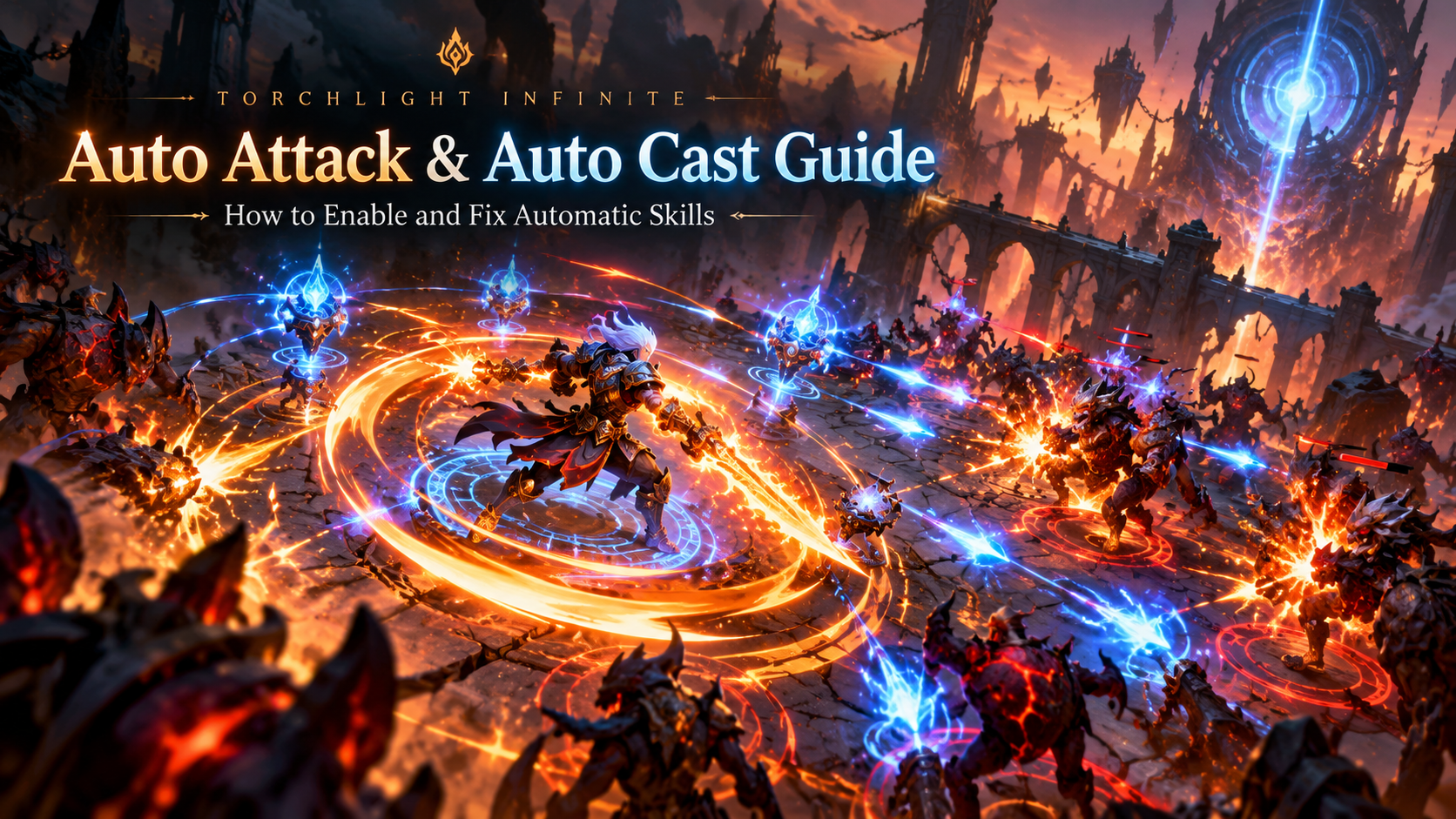
Auto Attack and Auto Cast in Torchlight: Infinite allow players to automate certain combat actions, reduce repetitive button presses, and make farming more comfortable. However, automatic attacks, triggered spells, auto-channeling, and auto-targeting work differently.
In the current SS14 Tartarus season, players can use Activation Medium support skills, combat settings, and certain hero mechanics to create automated builds. Some setups repeatedly cast damaging abilities, while others automatically activate buffs, defensive skills, or recovery abilities.
This guide explains how to enable Auto Attack and Auto Cast in Torchlight: Infinite, which Activation Medium skills to choose, how to obtain them, and how to fix automatic skills that are not working.
Does Torchlight Infinite Have Auto Attack and Auto Cast?
Yes. Torchlight: Infinite supports automatic attacks and spell casting through specific skills and gameplay mechanics. However, there is no single universal setting that makes every skill attack automatically under every condition.
The most important automation methods are:
- Activation Medium: Special support skills that automatically use or trigger compatible active skills.
- Auto Channeling: A combat setting that allows supported channeled skills to continue operating after activation without continuously holding the button.
- Auto Aim: Helps eligible skills target enemies more conveniently, but does not independently cast those skills.
- Hero Traits: Certain heroes have mechanics that facilitate automated damage, spell triggering, or attacking while moving.
- Triggered Skills: Specific effects automatically activate abilities when their trigger conditions are met.
Auto Attack vs. Auto Cast: What’s the Difference?
| Feature | Auto Attack | Auto Cast |
|---|---|---|
| Primary purpose | Automatically use attack skills | Automatically use or trigger eligible skills |
| Supported abilities | Compatible attack skills | Attacks, spells, buffs, defensive skills, and other eligible skills |
| How it works | Through supported Activation Mediums or specific mechanics | Through Activation Mediums, trigger effects, and certain hero mechanics |
| Manual button presses | Reduced or unnecessary while conditions are met | Reduced or unnecessary while conditions are met |
| Automatic targeting | Depends on the selected mechanism | Depends on the selected mechanism |
| Works while moving? | Depends on the skill and trigger | Depends on the skill, trigger, and hero mechanics |
Important: Automatically using an attack skill is not necessarily the same as automatically performing a basic weapon attack. Most automated combat builds rely on skills rather than a universal basic-attack toggle.
How to Enable Auto Cast in Torchlight Infinite
The most direct method for automatically casting many combat skills is to use an Activation Medium support skill.
Method 1: Use Activation Medium: Motionless
Activation Medium: Motionless is one of the easiest options for players who want to attack automatically without repeatedly pressing their main skill button.
According to its SS14 skill description, Motionless automatically and continuously casts a supported skill at the nearest enemy within 25 meters while the character is standing still.
It supports damaging Attack Skills and Spell Skills but cannot support Passive Skills or Channeled Skills.
How to Set Up Motionless Auto Cast
- Open the Skills interface.
- Select the active attack or spell you want to automate.
- Check that the skill is compatible with Activation Medium: Motionless.
- Place Motionless into the active skill’s first Support Skill slot.
- Configure your remaining support skills according to your build.
- Enter a combat area with enemies.
- Stop moving and allow an enemy to enter the skill’s targeting range.
- Your supported skill should automatically attack the nearest eligible enemy.
At its listed level-20 configuration, Motionless grants +10% additional damage to auto-used supported skills. The exact bonus can vary by skill tier.
Limitation: Motionless requires your character to stand still. If you continue moving, it will not continuously attack through this mechanism.
Method 2: Enable Auto Channeling
For channeled abilities, players can often use the game’s built-in Auto Channeling setting instead of repeatedly holding the skill button.
This can be especially useful for builds centered on skills such as Mind Control or other compatible channeled abilities.
How to Enable Auto Channeling
- Open the game’s Settings menu.
- Navigate to Battle or the corresponding combat settings section.
- Find the options associated with your equipped skills.
- Look for Auto Channeling or Auto Channel on a compatible skill.
- Enable the option.
- Return to the game and activate the skill once.
- Check whether the skill continues channeling without requiring you to hold the button.
Depending on the ability and character, you may need to activate the skill again when entering a new area or after channeling is interrupted.
Note: Auto Channeling does not automatically allow every channeled ability to operate while moving. Movement compatibility depends on the skill and any special hero mechanics involved.
Method 3: Use Activation Medium: Perpetual Motion
Activation Medium: Perpetual Motion is particularly useful for automating utility abilities instead of your main damage skill.
It supports compatible:
- Empower Skills
- Defensive Skills
- Restoration Skills
- Curse Skills
- Warcry Skills
- Elixir Skills
Perpetual Motion continuously attempts to trigger its supported skill, with a listed attempt interval of 0.2 seconds.
This does not mean a skill with a cooldown will activate five times every second. Actual activation remains subject to the skill’s applicable restrictions and cooldown behavior.
Perpetual Motion cannot support Channeled Skills.
Best use: Automating compatible buffs and utility skills so you can concentrate on movement, positioning, and your primary damage ability.
How to Enable Auto Attack in Torchlight Infinite
Players looking for automatic weapon-based combat usually want their character to repeatedly attack nearby enemies without clicking every time.
For this purpose, several Activation Mediums can automate eligible attack skills.
Method 1: Activation Medium: Still Attack
Activation Medium: Still Attack automatically uses a supported Attack Skill to continuously attack the nearest enemy within 25 meters while the character is standing still.
It supports damaging Attack Skills but cannot support Passive Skills or Channeled Skills.
The supported skill also receives the listed Willpower support effect.
How to Use Still Attack
- Equip a compatible damaging Attack Skill.
- Link Activation Medium: Still Attack in its first Support Skill slot.
- Enter a combat area.
- Stand within the required range of enemies.
- Allow the supported attack skill to activate automatically.
This is a straightforward option for stationary auto-attack builds.
Method 2: Activation Medium: Root Attack
Activation Medium: Root Attack is another automation option designed for damaging Attack Skills.
It automatically attempts to attack the closest enemy when your character stops moving.
The listed interval is approximately 0.2–0.3 seconds, depending on the skill configuration.
It also provides a damage bonus based on how far the character has moved, subject to the skill’s maximum bonus.
Best use: Builds that frequently move between enemies and briefly stop to deliver attacks.
Method 3: Use Motionless for Attack Skills
Motionless is not restricted to spells. It also supports compatible Attack Skills that deal damage.
For beginners, it can be a convenient starting point because the same Activation Medium can work with either an eligible spell or an eligible attack.
Can You Hold Shift to Auto Attack?
Some older Torchlight: Infinite guides recommend holding Shift and clicking to attack while standing still.
However, Shift-click should not be treated as a universal Auto Attack shortcut in Torchlight: Infinite.
Attack-in-place controls and key bindings can differ between PC configurations and game versions. Even if a key prevents movement, that does not necessarily create continuous, automated attacks.
For PC players:
- Open Settings and inspect your control or key-binding options.
- Check the assigned buttons for your attack skills.
- Test whether a selected skill supports holding the button for repeated attacks.
- For actual automatic combat, use a compatible Activation Medium rather than relying on Shift-click alone.
Best Activation Medium Skills for Auto Cast and Auto Attack
Torchlight: Infinite provides different Activation Medium skills for different automation conditions. Choosing the correct one is essential.
| Activation Medium | Automatic Effect | Recommended Purpose |
|---|---|---|
| Motionless | Automatically casts eligible damaging attacks or spells while standing still | Simple automatic damage |
| Still Attack | Continuously uses a compatible Attack Skill while standing still | Stationary auto-attack builds |
| Root Attack | Automatically attempts an attack when movement stops | Move-and-attack gameplay |
| Perpetual Motion | Continuously attempts to trigger supported utility skills | Automated buffs and defense |
| Rhythm | Periodically triggers an eligible damage skill against nearby enemies | Automatic damage while repositioning |
| Wind Rhythm | Automatically attempts to trigger an eligible damaging spell | Spell-focused automation |
| Life | Attempts to trigger compatible recovery skills below a configured HP threshold | Automatic healing |
| Energy Shield | Attempts to trigger compatible utility skills when Energy Shield falls below a threshold | Energy Shield builds |
| Boss | Triggers compatible utility skills when a boss is within range | Boss encounters |
| Elite | Triggers compatible utility skills when an Elite enemy is within range | Elite encounters |
| Sentry | Attempts to deploy supported Sentry Skills when no Sentries are nearby | Sentry builds |
| Minion | Replenishes supported Synthetic Troop minions when entering a stage | Minion builds |
Important: Activation Mediums have different restrictions. Some support only attacks, others only spells, and others only specific utility skill categories. Always read the current in-game skill description before installing one.
How to Automatically Cast Skills While Moving
Many players want their character to move through maps while automatically attacking nearby enemies.
Whether this works depends on the skill and activation mechanism.
Option 1: Use Rhythm or Wind Rhythm
Activation Medium: Rhythm periodically triggers a supported damaging skill against nearby enemies.
Rhythm supports eligible damaging Active Skills, but cannot support Channeled Skills or Attack Mobility Skills.
Activation Medium: Wind Rhythm is a spell-specific alternative that automatically attempts to trigger the supported spell on the nearest enemy within 25 meters.
Both can reduce manual button presses during map clearing.
However, their damage bonuses, penalties, cooldown behavior, and compatibility differ. They should not be treated as interchangeable.
Option 2: Use a Movement-Compatible Hero Mechanic
Some hero traits and channeled abilities allow more convenient combat while moving.
For example, certain Tide Whisper Selena builds use channeling and automatic targeting to maintain damage while moving under the appropriate trait conditions.
Mind Control-based builds are another common option for players seeking comfortable channeling gameplay.
These interactions depend on the specific hero trait, ability, and configuration. Enabling Auto Channeling alone does not guarantee movement compatibility.
What About Move to Cast?
In August 2026, Torchlight: Infinite introduced Unbound – Move to Cast as a special mechanic for The Unbound Hardcore Server.
This mechanic automatically fires the player’s Main Skill during movement, allowing faster combat while traveling across maps.
However, it was introduced as a special server mechanic and should not be confused with a universal setting available to every character in the standard Tartarus season.
For ordinary seasonal gameplay, check your equipped Activation Mediums and hero-specific mechanics rather than assuming Move to Cast is globally enabled.
How to Automatically Trigger Skills on Critical Strikes or While Channeling
Some advanced builds use a combination of trigger-generating and trigger-consuming support skills.
One example is the Instruction system.
Critical Strike Automation
Activation Medium: Critical Strike can generate Instructions when its supported skill lands a critical strike.
Activation Medium: Instruction can then use accumulated Instructions to enhance another eligible automatically triggered damage skill.
For a compatible setup:
- Select an eligible skill capable of landing critical strikes.
- Link Activation Medium: Critical Strike to that skill.
- Select a second eligible damaging Active Skill.
- Link Activation Medium: Instruction to the second skill.
- Test the interaction against enemies and inspect how frequently Instructions are generated and consumed.
Critical Strike generates Instructions rather than directly casting any arbitrary second ability. The Instruction-consuming mechanism is an important part of this setup.
Channeling-Based Automation
Activation Medium: Channel generates Instructions while its supported Channeled Skill accumulates channeling stacks.
These Instructions can interact with compatible Instruction-based damage setups.
This differs from simply enabling Auto Channeling in the Battle settings:
- Auto Channeling: Changes how a supported channeled skill is controlled.
- Activation Medium: Channel: Generates Instructions based on channeling stacks.
- Activation Medium: Instruction: Uses its own automatic trigger behavior and benefits from accumulated Instructions.
Understanding these differences is important when copying an advanced build.
How to Get Activation Medium Skills in Torchlight Infinite
Activation Mediums are special support skills and are not necessarily acquired in the same way as ordinary support skills.
1. Complete Seasonal Objectives
During SS14 Tartarus, official season rewards include a Base Activation Medium Selection Chest obtainable through the applicable objectives.
Check the current season’s objectives and reward interface to see the requirements and available choices.
Previous seasons have also offered Activation Medium: Motionless through progression or event rewards. However, the exact reward requirements can change between seasons.
2. Participate in Whispering Mist and Folklores Gameplay
Activation Medium skills were introduced through the Whispering Mist system.
Folklores gameplay and its associated reward chests are a documented source of Activation Medium drops.
Players pursuing additional Activation Mediums should inspect the relevant seasonal gameplay and reward availability in their current server.
3. Check Current Trading Options
When looking for a particular Activation Medium, check its item restrictions and whether it is available through the current server’s trading system.
Availability can vary according to the item and server rules. Do not assume that every Activation Medium can be purchased or traded.
Best Auto Cast Builds in Torchlight Infinite
The best automated build depends on whether you prefer spells, ranged attacks, melee attacks, or minions.
Instead of choosing a hero solely because a guide claims they have automatic attacks, first identify the skill and Activation Medium combination you want to use.
1. Auto-Channeling Selena
Best for: Players who prefer smoother movement and fewer skill-button presses.
Tide Whisper Selena has hero mechanics that can support channeling-focused gameplay.
Compatible builds often use Auto Channeling and Auto Aim to make combat more comfortable.
For movement-based channeling, ensure the correct hero trait and skill interaction are active.
2. Automatic Spell Builds with Motionless
Best for: Players who want straightforward automated spell damage.
A compatible damaging spell supported by Motionless can automatically target and attack nearby enemies while stationary.
This approach is accessible to different heroes, provided the skill, equipment, and support setup are compatible.
Its main limitation is the need to stop moving.
3. Automatic Attack Builds with Still Attack
Best for: Players who prefer attack-based combat.
Still Attack repeatedly uses a compatible Attack Skill against nearby enemies while the character remains stationary.
Attack-oriented heroes such as Rehan or Carino may be considered, but the actual setup should be chosen based on weapon compatibility, skill tags, and current-season build balance.
4. Automatic Minion and Sentry Builds
Best for: Players who prefer indirect damage and simplified combat controls.
Minion and Sentry skills can reduce the need to manually target enemies with every attack.
Activation Medium: Minion and Activation Medium: Sentry can simplify specific summoning and deployment tasks.
However, these systems do not remove the need to configure damage, defenses, and appropriate support skills.
Torchlight Infinite Auto Cast Not Working: How to Fix It
If automatic casting or attacking does not work, check the following common causes.
1. Your Active Skill Is Not Compatible
Every Activation Medium has specific restrictions.
For example, Motionless cannot support Channeled Skills, while Perpetual Motion is designed for supported utility skill categories.
Fix: Read the Activation Medium’s supported skill categories and compare them with the tags on your Active Skill.
2. The Activation Medium Is in the Wrong Slot
Activation Medium skills must occupy the first Support Skill slot of their linked Active Skill.
Fix: Move the Activation Medium to the first slot rather than another support position.
3. You Are Still Moving
Motionless and Still Attack depend on standing still.
Fix: Stop moving and test the setup near enemies within range.
4. Auto Channeling Is Disabled
If you have to hold the channeling button continuously, Auto Channeling may not be enabled.
Fix: Open Settings > Battle and inspect the Auto Channeling option for your equipped skill.
5. You Have Not Activated the Channeled Skill
Auto Channeling may allow an eligible ability to continue once activated, but it does not necessarily start that ability automatically when a stage begins.
Fix: Activate the skill manually once and check whether it continues channeling.
6. No Enemy Meets the Trigger Conditions
Some automatic skills only work when an enemy is nearby, while others require a boss, an Elite, or a particular movement event.
Fix: Check the trigger’s specified targeting distance and activation condition.
7. Insufficient Mana or Other Resource Restrictions
Insufficient resources or applicable skill restrictions may interfere with automatic casting.
Fix: Check your available Mana, skill costs, reservation effects, and any relevant resource requirements.
8. The Skill Is on Cooldown
Automatic trigger attempts do not necessarily bypass a skill’s cooldown.
Fix: Wait for the cooldown and verify whether the skill activates when it becomes available.
9. Incorrect Auto Aim Settings
A skill may activate but target enemies in an unexpected direction.
Fix: Review the Auto Aim and targeting options in the Battle settings, then compare the available modes with your specific build.
10. The Build Guide Uses an Old Season
Skill behavior, balance, reward sources, and hero interactions can change between seasons.
Fix: Verify the build against the current SS14 skill descriptions and patch notes rather than relying on an outdated video or guide.
Tips for Improving Auto Attack and Auto Cast Builds
- Choose the correct Activation Medium: Prioritize skill compatibility and activation conditions over convenience alone.
- Automate utility skills separately: Use compatible trigger supports for buffs, defenses, and recovery instead of manually activating everything.
- Understand movement limitations: Choose mobile trigger mechanisms when continuous movement is important.
- Optimize Mana management: Ensure automated skills can operate without repeatedly running out of resources.
- Maintain defensive reliability: Automatically attacking enemies does not eliminate the need for appropriate survivability.
- Test against bosses: A build that clears normal monsters comfortably may perform differently against single targets.
- Check support penalties: Some Activation Mediums modify damage or other properties, so automation is not always a free damage increase.
- Keep manual control available: Movement, dodging, and selective skill usage remain valuable in difficult encounters.
Frequently Asked Questions
Does Torchlight Infinite have an auto attack feature?
Yes. Compatible Attack Skills can be automated through Activation Mediums such as Still Attack, Root Attack, and Motionless. However, these mechanics do not represent a universal basic-attack toggle for every character.
How do I automatically cast spells in Torchlight Infinite?
Link a compatible spell with an appropriate Activation Medium. For example, Motionless automatically casts eligible damaging spells while standing still, while Wind Rhythm can automatically trigger compatible spells according to its own rules.
How do I enable Auto Channeling?
Open Settings > Battle, locate the Auto Channeling option for your compatible skill, enable it, and activate the skill to test the behavior.
Can I automatically cast skills while moving?
Yes, with suitable trigger mechanisms or hero-specific abilities. Rhythm and Wind Rhythm can automate compatible damage skills, while certain channeling builds support more flexible movement. Motionless and Still Attack specifically require standing still.
What is the easiest Auto Cast setup for beginners?
Activation Medium: Motionless is a practical starting point for a compatible non-channeled damaging skill. It automatically targets nearby enemies while the character stands still and requires relatively little manual skill activation.
What is the difference between Auto Aim and Auto Cast?
Auto Aim helps with targeting, while Auto Cast automatically activates or triggers a skill under certain conditions. Enabling Auto Aim alone does not necessarily make your character attack automatically.
Why does my Auto Cast stop when I move?
You may be using Motionless or another mechanism that requires standing still. Check the Activation Medium description and choose a movement-compatible alternative when appropriate.
Can I auto cast defensive skills and healing abilities?
Yes. Compatible utility abilities can use Activation Mediums such as Perpetual Motion, Life, Energy Shield, Boss, or Elite. Each has its own supported skill categories and trigger requirements.
Can I use Auto Cast on mobile?
Yes. Torchlight: Infinite supports automation mechanics on mobile as well as PC. Mobile players can use compatible Activation Mediums and combat settings, although interface layouts and control options may differ.
Do I need an Activation Medium for Auto Channeling?
Not necessarily. Compatible channeled abilities may use the built-in Auto Channeling setting. Activation Mediums provide additional automation options for other abilities and trigger interactions.
Does Auto Cast automatically pick up loot?
No. Auto Cast controls skill activation, while auto-loot is a separate collection system. Enabling automatic attacks does not automatically enable advanced item pickup.
Is Auto Cast available in the SS14 Tartarus season?
Yes. Activation Medium skills remain part of Torchlight: Infinite in SS14 Tartarus. The season also includes a Base Activation Medium Selection Chest among its objective rewards.
About the Author